Intel
®
RAID Software User’s Guide 169
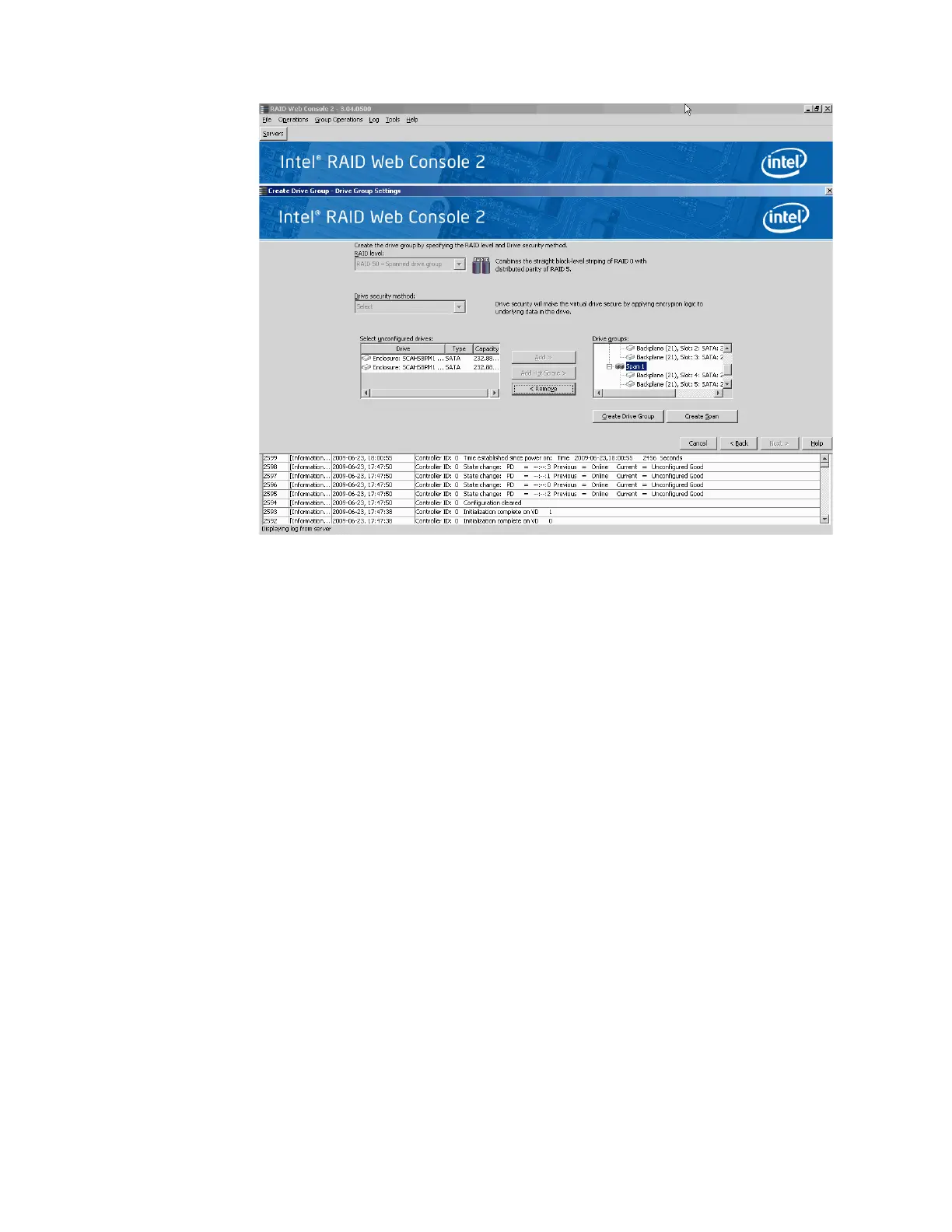
Figure 133. Span 0 and Span 1 of Drive Group 0
f. Click Create Drive Group to make a drive group with the spans.
g. Click Next to complete this step.
The Virtual drive settings window appears, as shown in Figure 134. The drive group
and the default virtual drive settings appear. The options to update the virtual drive or
remove the virtual drive are grayed out until you create the virtual drive.



 To Next Page