152 Intel
®
RAID Software User’s Guide
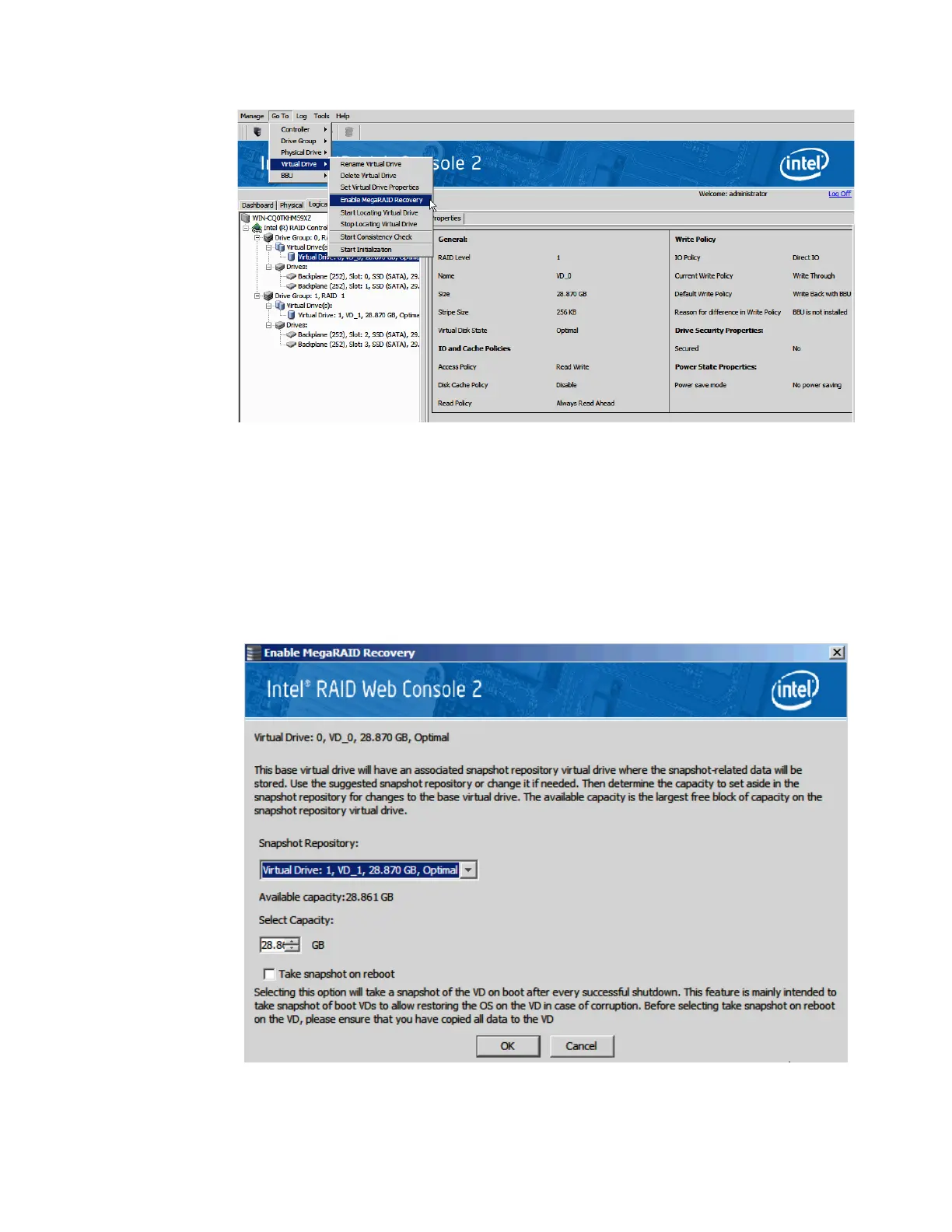
Figure 106. Enable MegaRAID Recovery
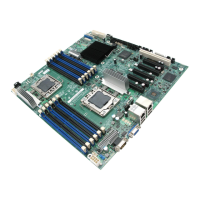
3. On the Enable MegaRAID Recovery Wizard screen, select the virtual drive to use as the
Snapshot Repository in the Snapshot Repository field. (You can leave the suggested
virtual drive as the Snapshot Repository.)
4. Enter the capacity to use in the Snapshot Repository for changes to the base virtual
drive. The available capacity is the largest free block of capacity on the snapshot
repository virtual drive.
Figure 107. Enter the Capacity for Snapshot Respository



 To Next Page