122 Intel
®
RAID Software User’s Guide
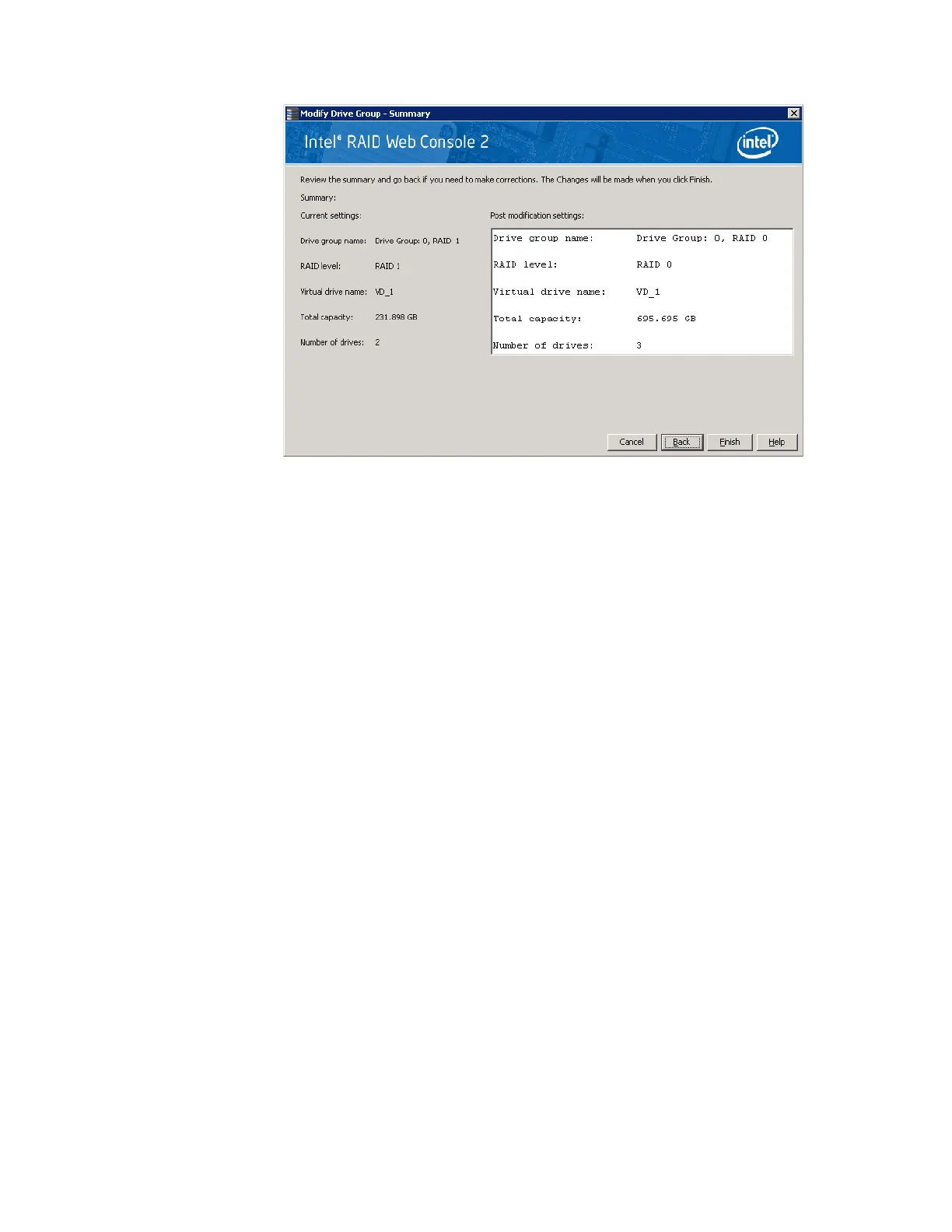
Figure 73. Changing RAID Level
5. When everything is acceptable, click Finish to accept the new configuration.
A Reconstruct operation begins on the virtual disk. You can monitor the progress of the
reconstruction in the Group Show Progress window. Select Manage -> Show Progress.
Changing Virtual Disk Properties
You can change a virtual disk’s Read Policy, Write Policy, and other properties after the disk is
created. To do this, follow these steps:
1. Select a virtual disk (or drive) icon in the left panel and then select Go To -> Virtual
Drive -> Set Virtual Drive Properties. Alternatively, click the Properties panel and
then click Set Virtual Disk Properties.
Figure 74 shows the Set Virtual Disk Properties
screen.



 To Next Page