82 Intel
®
RAID Software User’s Guide
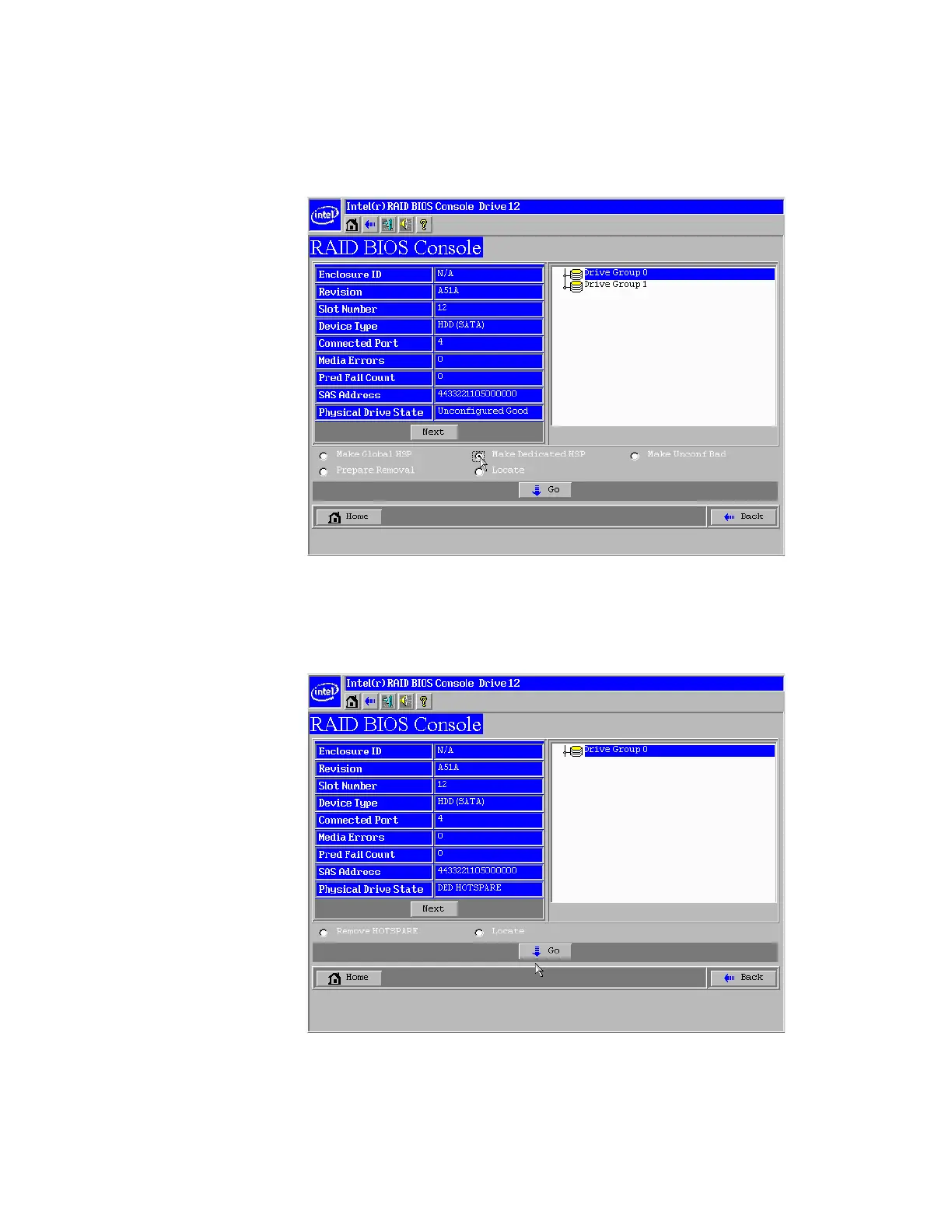
3. Click one of the following:
— Click Make Dedicated HSP to add the drive as a hot spare dedicated for certain
virtual drives.
— Click Make Global HSP if you want to create a global hot spare for all disk groups.
Figure 34. Intel
®
RAID BIOS Console 2 – Setting a Hot Spare Drive
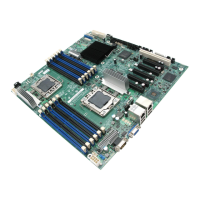
4. Click Go to create the hot spare.
The Drive State changes to HOTSPARE, as shown below.
Figure 35. Intel
®
RAID BIOS Console 2 – Viewing Hot Spare
5. Click Home to return to the main screen.



 To Next Page