25
» Blocked devices: identication of the blocked device (option displayed when the selected lter type is
Block listed
).
Enter a name to help you identify which device is this.
» Allowed devices: device identication allowed (option displayed when the selected lter type is
Allow listed
). Enter a
name to help you identify which device is this.
» MAC address: allows you to enter the MAC address of the device for which the rule should act.
In the rst line of the list, you can add a new device to the lter. After lling in the elds, click
Add
and then click
Save
.
The list of rules created will appear right below. To delete a rule just click .
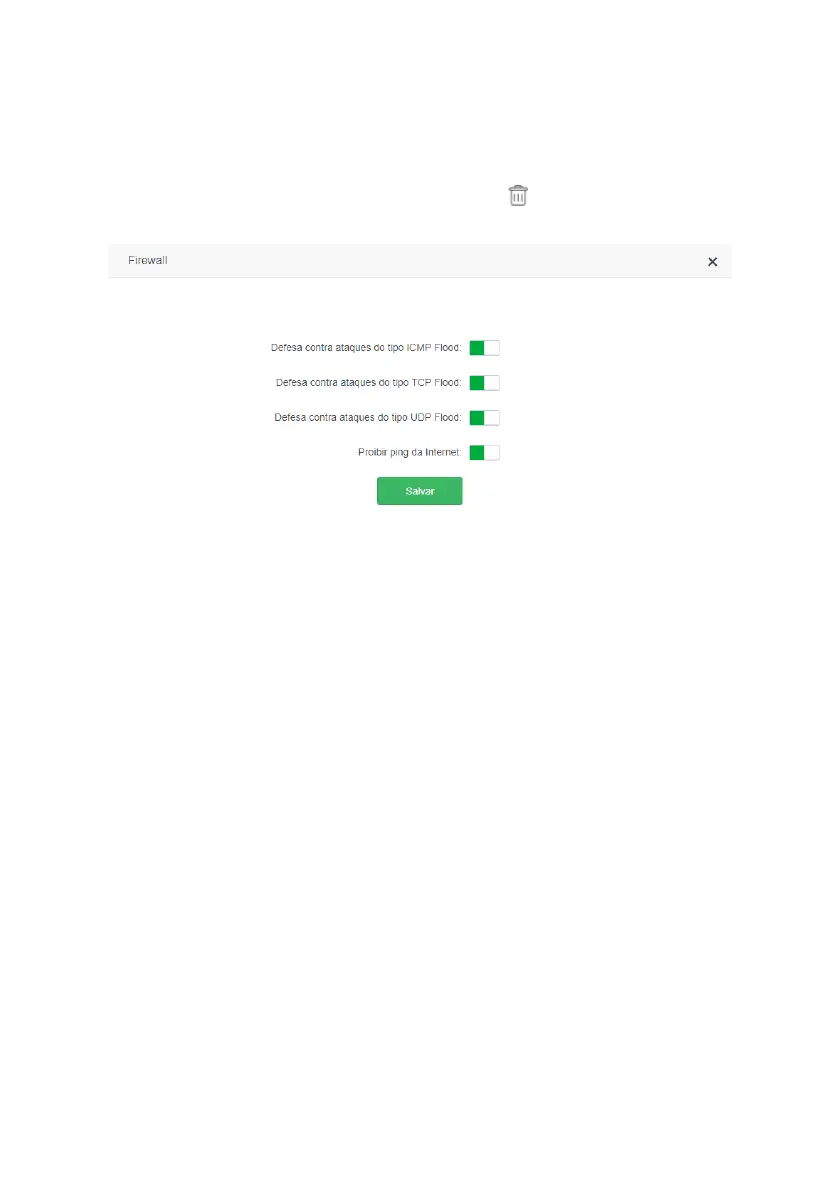
Firewall
Firewall conguration screen
In the menu
Firewall
you can enable or disable some options that can protect the router and your internal network from
some known types of attacks. The types of attacks that can be enabled or disabled are:
» Defense against ICMP Flood attacks: the
ICMP Flood
is the act of sending as many ICMP packets as possible in
the shortest amount of time in order to slow down your connection and may even prevent you from connecting to the
Internet. Leaving this option active will identify this type of attack and prevent it from being executed.
» Defense against TCP Flood attacks: the
TCP Flood
is the act of sending the largest number of TCP packets in the
shortest time possible, in order to slow you connection and may even prevent you from connecting to the Internet. Lea-
ving this option active will identify this type of attack and prevent it from being executed.
» Defense against UDP Flood attacks: the
UDP Flood
is the act of sending as many UDP packets as possible in the
shortest amount of time in order to slow down your connection and may even prevent you from connecting to the Inter-
net. Leaving this option active will identify this type of attack and prevent it from being executed.
» Prohibit ping from the Internet: disables the response to ping received from the Internet. It helps to make your
network more secure by making it difcult for someone to know that your router is on the Internet and try to make some
kind of attack or improper access.
We recommend using the default router settings. If you want to change any option, just click on the button next to the
desired option and then on
Save
.
Static route



 To Next Page