26
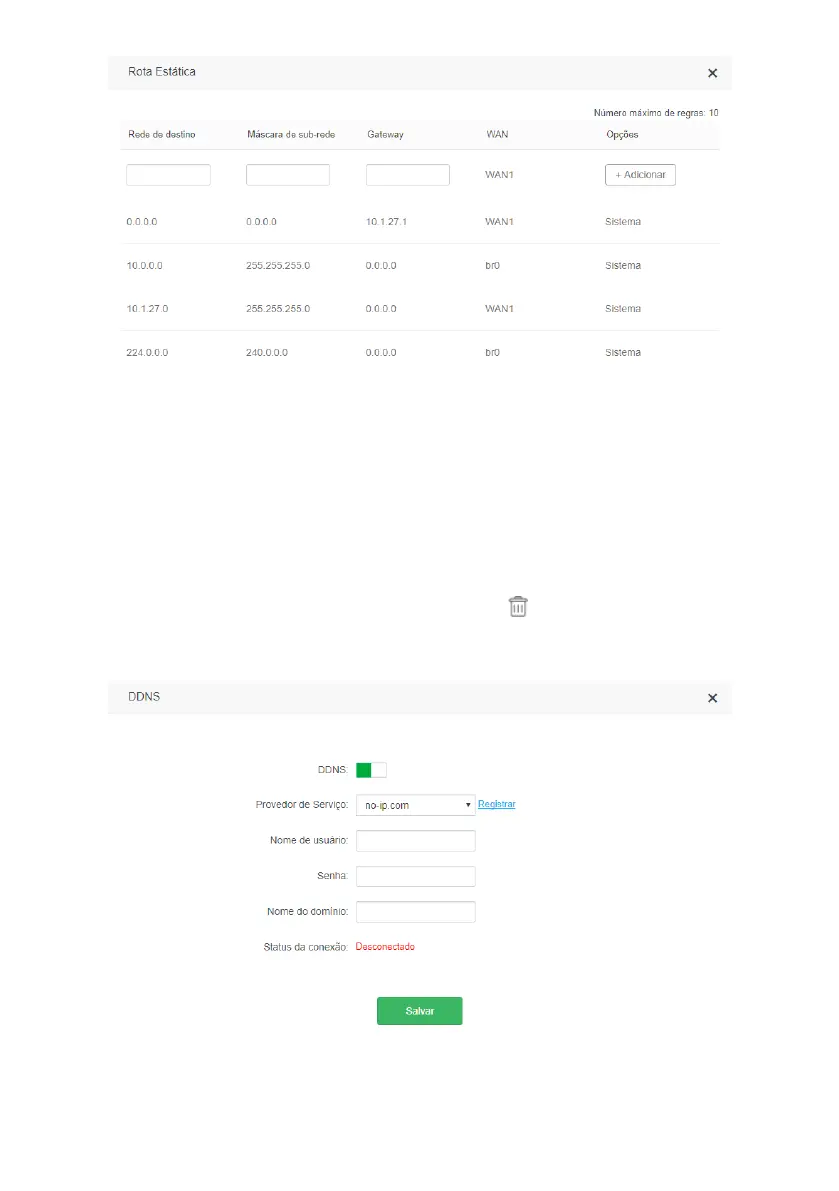
Static route conguration screen
In the menu
Static Route
you can add routes to other networks you wish to access. In addition, you can view the default
routes created by the system.
To add a static route, ll in the elds as follows:
» Destination Network: enter the network you wish to access.
» Subnet mask: in this eld enter the subnet mask of the specied network in the eld
Destination network
.
» Gateway: in this eld, enter the IP address of the gateway (router) that can route data to the specied network in the
eld
Destination Network.
After completing the elds, click
Add
.
The list of rules created will appear right below. To delete a rule just click .
Note: items marked as
System
, are internal router routing rules and cannot be deleted.
DDNS
DDNS conguration screen



 To Next Page