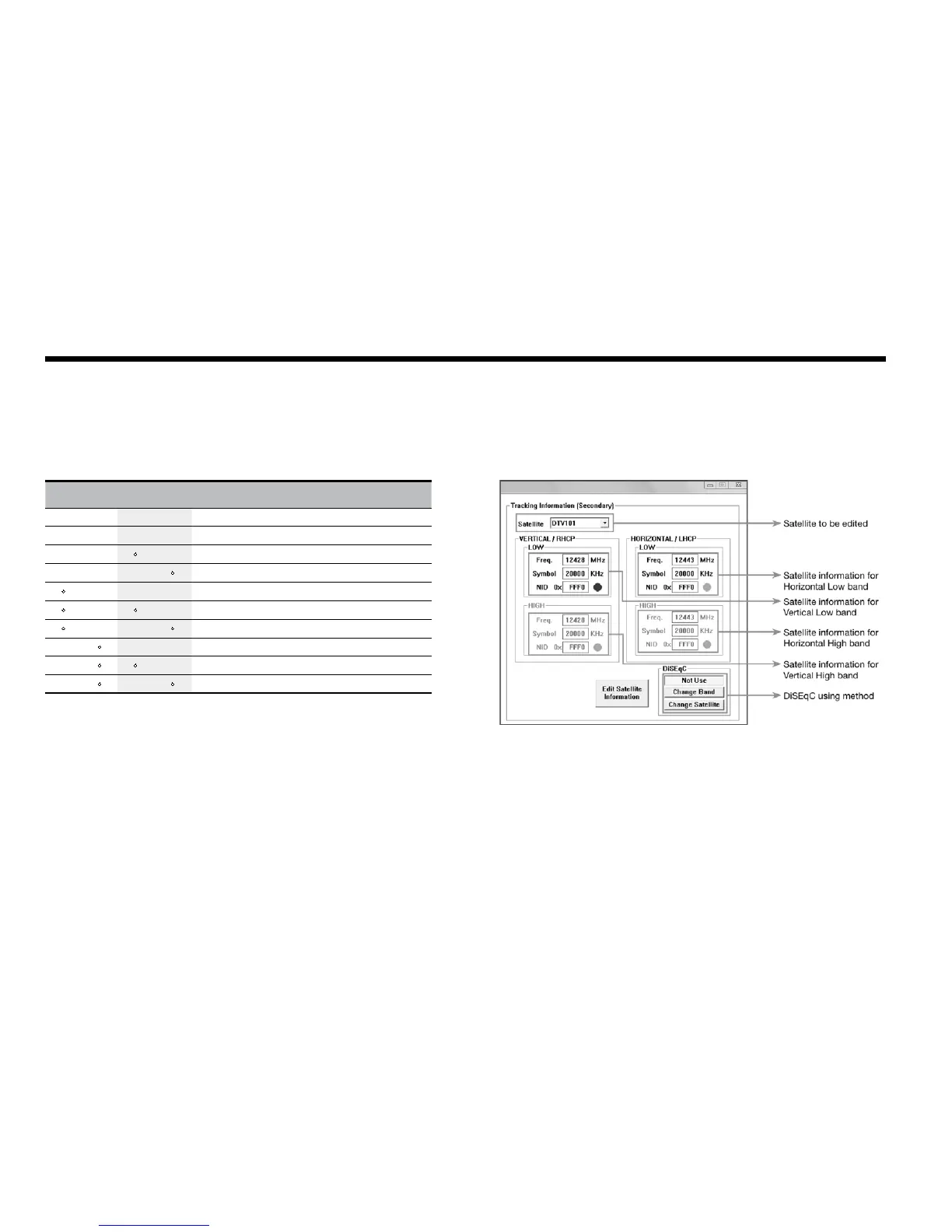
Figure 35 : Setting up the Secondary Tracking Information
Command Buttons
•EditSatelliteInformation–Tochangefrequencyinformationoftheantenna.
Set Tracking Information of Satellite [Secondary]
Voltage DiSEqC Discription
13V 18V 0KHz 22KHz
AUTO AUTO AUTO AUTO 13V & 18V and DiSEqC 0KHz & 22KHz tone to LNB
AUTO AUTO
• 13V & 18V and DiSEqC 0KHz tone to LNB
AUTO AUTO • 13V & 18V and DiSEqC 22KHz tone to LNB
• AUTO AUTO 13V and DiSEqC 0KHz & 22KHz tone to LNB
• • 13V and DiSEqC 0KHz tone to LNB
• • 13V and DiSEqC 22KHz tone to LNB
• AUTO AUTO 18V and DiSEqC 0KHz & 22KHz tone to LNB
• • 18V and DiSEqC 0KHz tone to LNB
• • 18V and DiSEqC 22KHz tone to LNB



 To Next Page
 Loading...













