Need help?
Do you have a question about the Intellian v240M and is the answer not in the manual?
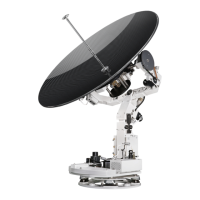
Product overview detailing the v240M as a 2.4m multiband marine VSAT system.
Highlights key features like automatic band switching, wireless ACU control, and RF performance.
Illustrates the basic system setup and component connections for proper operation.
Describes the main components of the v240M antenna unit.
Details the contents of the Radome, Antenna, and Frame packages.
Provides dimensions and alignment details for the radome.
Discusses site selection, RF interference, and cable requirements.
Procedures for safely removing components from packaging.
Guides the assembly of the main antenna parts.
Instructions for installing the Ku band module.
Details on assembling the upper and lower radome sections.
Steps for lifting and securing the radome.
Methods for physically installing the ACU.
Specifications for the ACU's physical size.
Recommended location criteria for the ACU.
Diagrams of system connections.
Integrating heading data for tracking.
Wireless connection setup.
Pinouts and port descriptions for the ACU.
Overview of ACU controls.
Standard operating procedure.
Entering and navigating setup menus.
Configuring initial parameters.
Adjusting antenna parameters.
Managing satellite data and tracking.
General system configuration.
Overview of the Aptus software.
How to install the software.
Connecting and using the software.
Features accessible via the toolbar.
Monitoring system status.
Different data views in the software.
Customizing and using work views.
Accessing and using Aptus Web.
Login and primary interface.
Quick monitoring of status and settings.
Configuring antenna parameters via web.
Updating firmware and system config.
Network and system management settings.
 General
| Frequency Band | Ku-band |
|---|---|
| Stabilization | 3-axis |
| Type | Satellite Antenna |
| Antenna Diameter | 2.4 m |
| Operating Temperature | -25°C to +55°C |
| Reflector Type | Parabolic |
| Polarization | Linear |
| Power Supply | 100-240 VAC, 50/60 Hz |
| Humidity | Up to 100% |
| Compliance | CE, FCC |


 To Next Page