119
APTUS
Work View Tabs
Aptus
®
provides seven Work View Tabs (Satellite View, Antenna Basic View, An-
tenna Advanced View, Monitor View, Graph View, ACU System View, and Antenna
UI View) to manage the Antenna and the Satellite conguration. Tick the checkbox
next to the Set button to modify the settings. After the desired value is entered,
press the Set button to save the settings
Enter Setup mode to modify following settings:
• Antenna Angle
• Tilt Sensor Bias
• Rate Sensor Bias
Following settings can be modied both in Setup mode and Operation mode:
• Heading and Heading device
• Current satellite information
• Bow Information
• Conical Range
• EL Adjust
• Search Parameters
• Threshold Setting
• TX Enable threshold
• Blockage
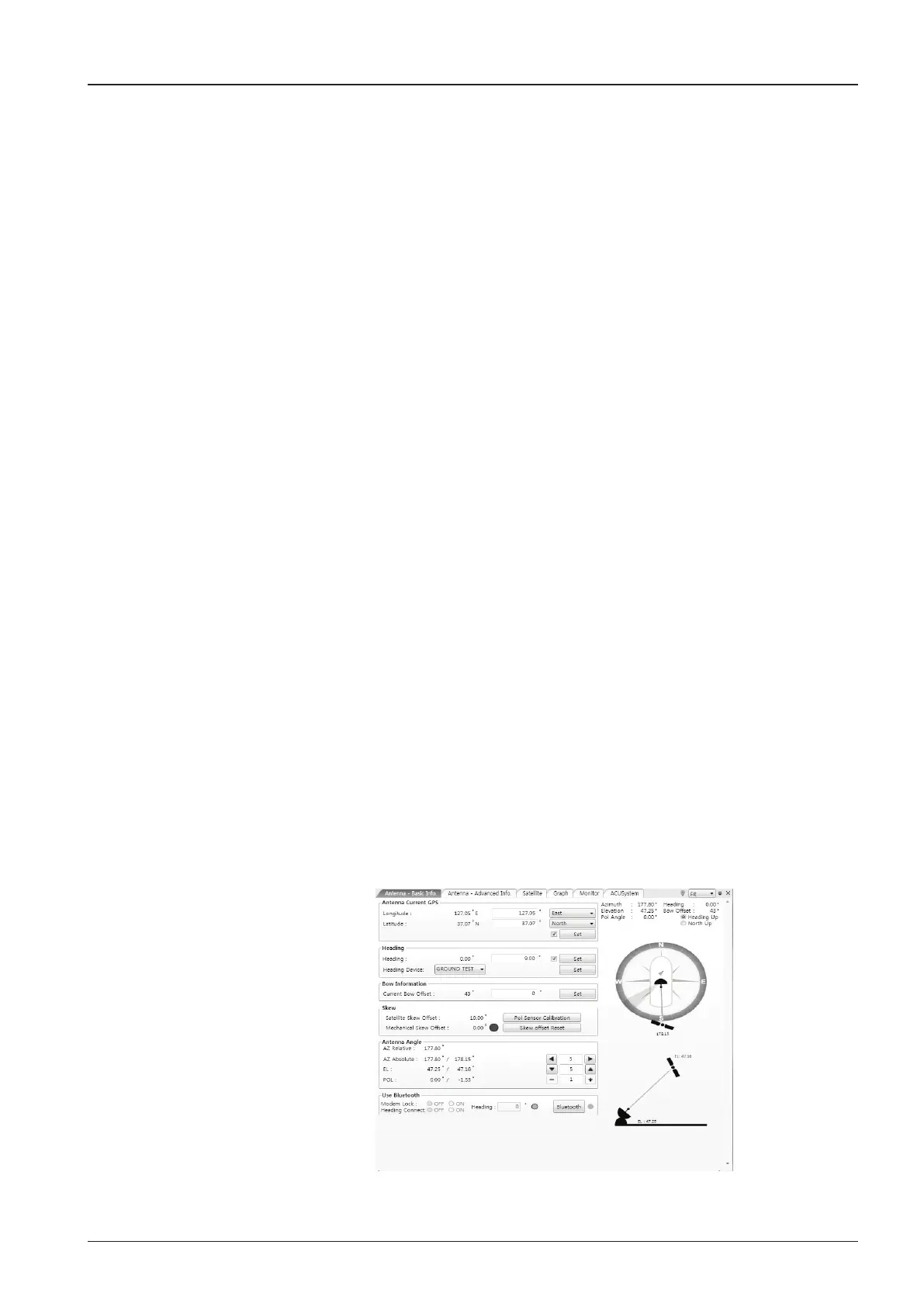
Antenna – Basic Info.
This view tab provides information on the Antenna’s Current GPS location, Head-
ing Device, Bow Information, Skew Information, and the Antenna’s Angle. This
view tab uses the Antenna’s AZ and EL information as well as the Ship’s Heading
information in order to provide a dynamic graphic user interface (UI).
Figure 103. Antenna - Basic Info. Work View Tab


 To Next Page
 Loading...











