v240M – Marine Satellite Communication System
108
Operation
Starting Aptus
®
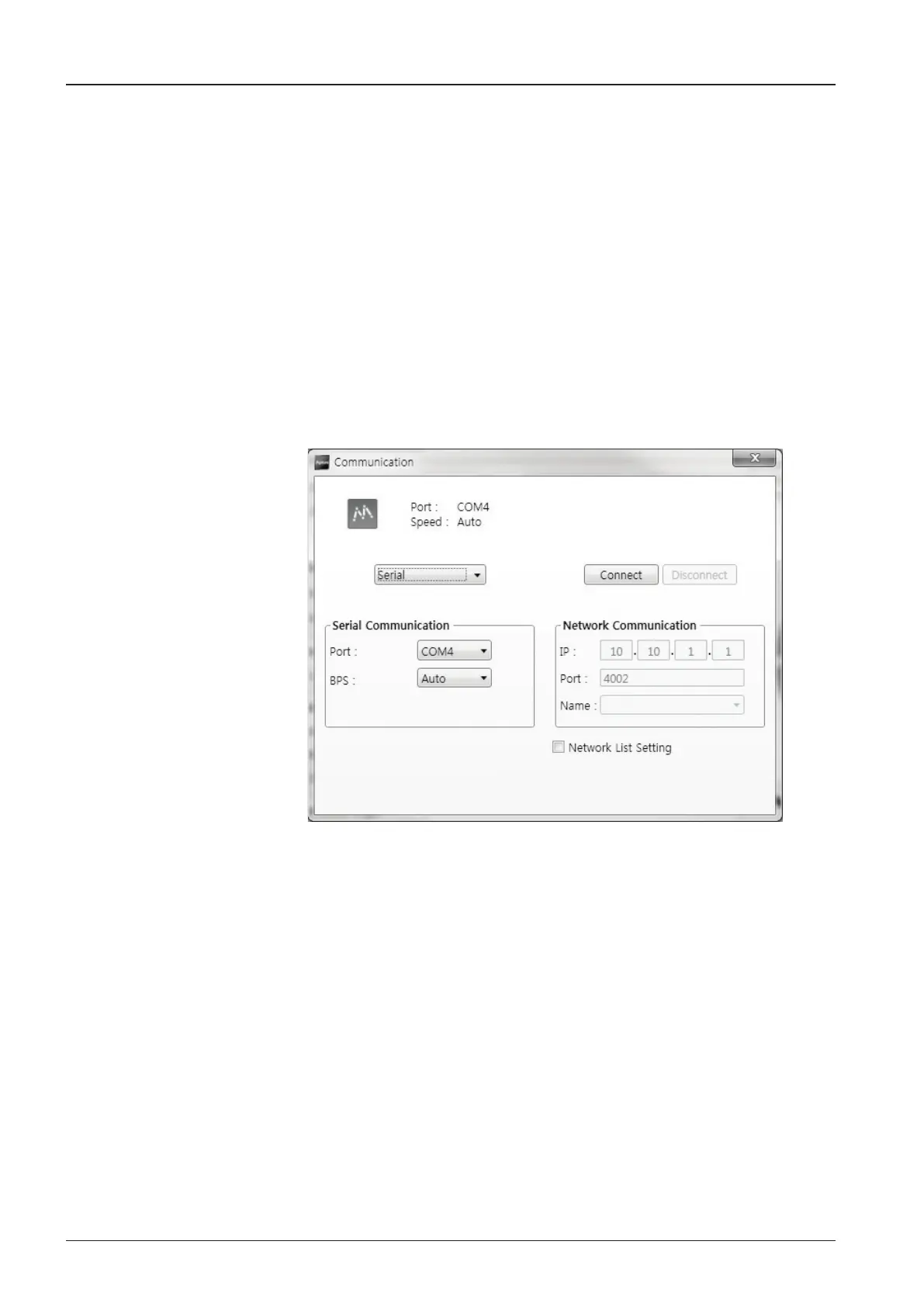
By double-clicking the Aptus
®
desktop icon, the Communication Window where
you can establish the data communication between your PC and the ACU will
appear. You are given the options of accessing your ACU through the Serial Port
Communication or through the Network Communication (TCP/IP).
Access ACU through Serial Communication
1. Connect a 9 pin serial cable from the PC INTERFACE connector on the ACU
to the 9-pin serial port on the PC. If there is not a 9-pin serial port on the PC,
use a USB-Serial adapter.
2. Select Serial in the communication type combo-box.
3. Select a COM port which is not occupied by other devices.
4. The baud rate of the ACU is automatically congured.
5. Click the Connect button.
Figure 86. Serial Communication


 To Next Page
 Loading...











