Need help?
Do you have a question about the Intellian V60 and is the answer not in the manual?
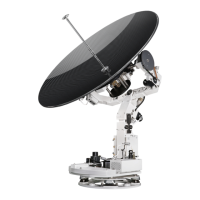
Overview of the Intellian v60 antenna system, its capabilities, and design.
Highlights the key features and benefits of the Intellian v60 system for marine use.
Details the basic and dual system configurations and component connections.
Lists the components included in the Intellian v60 system package.
Covers site selection, hazard zones, cables, power, and required tools for installation.
Provides step-by-step instructions for unpacking and physically installing the antenna unit.
Explains the two methods for mounting the ACU: 19” Rack Mount and Table Mount.
Details how to connect the ACU to a ship's gyrocompass and other necessary systems.
Introduces the ACU's functions and soft key operations for system setup.
Describes the startup sequence and status displays during normal operation of the ACU.
Guides users on how to enter and exit the ACU's setup mode for configuration.
Outlines the initial setup steps required for the system, including satellite and gyro settings.
Covers manual satellite search, LNB pol angle adjustment, and parameter settings.
Details how to load, edit, and add satellite information for tracking.
Explains how to set LNB local frequency, location, modem port, and system backup options.
Introduces the PC Controller Software for easy setup and management of the antenna.
Provides instructions for establishing communication between the PC and ACU via serial or network.
Details the controller menus and command buttons available in the PC software.
Explains functions like Position, Manual Search, and Antenna Angle settings within the software.
Explains the benefits of remote monitoring, control, and diagnosis via TCP/IP.
Guides users on how to log in to the ACU's web interface using its IP address.
Covers general information, current status, ship information, and antenna position settings via the web interface.
Details the process for upgrading the firmware of the antenna and ACU through the web interface.
Explains how to configure network settings, serial ports, SNMP, and password via the web interface.
 General
| Stabilization | 3-axis stabilized |
|---|---|
| Frequency Band | Ku-band |
| Antenna Diameter | 60 cm |
| Polarization | Linear |
| Tracking Accuracy | 0.2° RMS |
| Power Supply | 24 VDC |
| Tracking System | Step-by-step |
| Operating Temperature | -25°C to +55°C |
| Azimuth Range | 360° continuous |
| Power Consumption | 70W (typical) |


 To Next Page