163
APPENDIX
1. After setting up the v240M that contains bluetooth functions and after authorizing
the power supply, the antenna will conrm if it is operating normally.
2. In order to utilize the antenna's Bluetooth function, you have to choose one of
the two methods below in order to Enable Bluetooth.
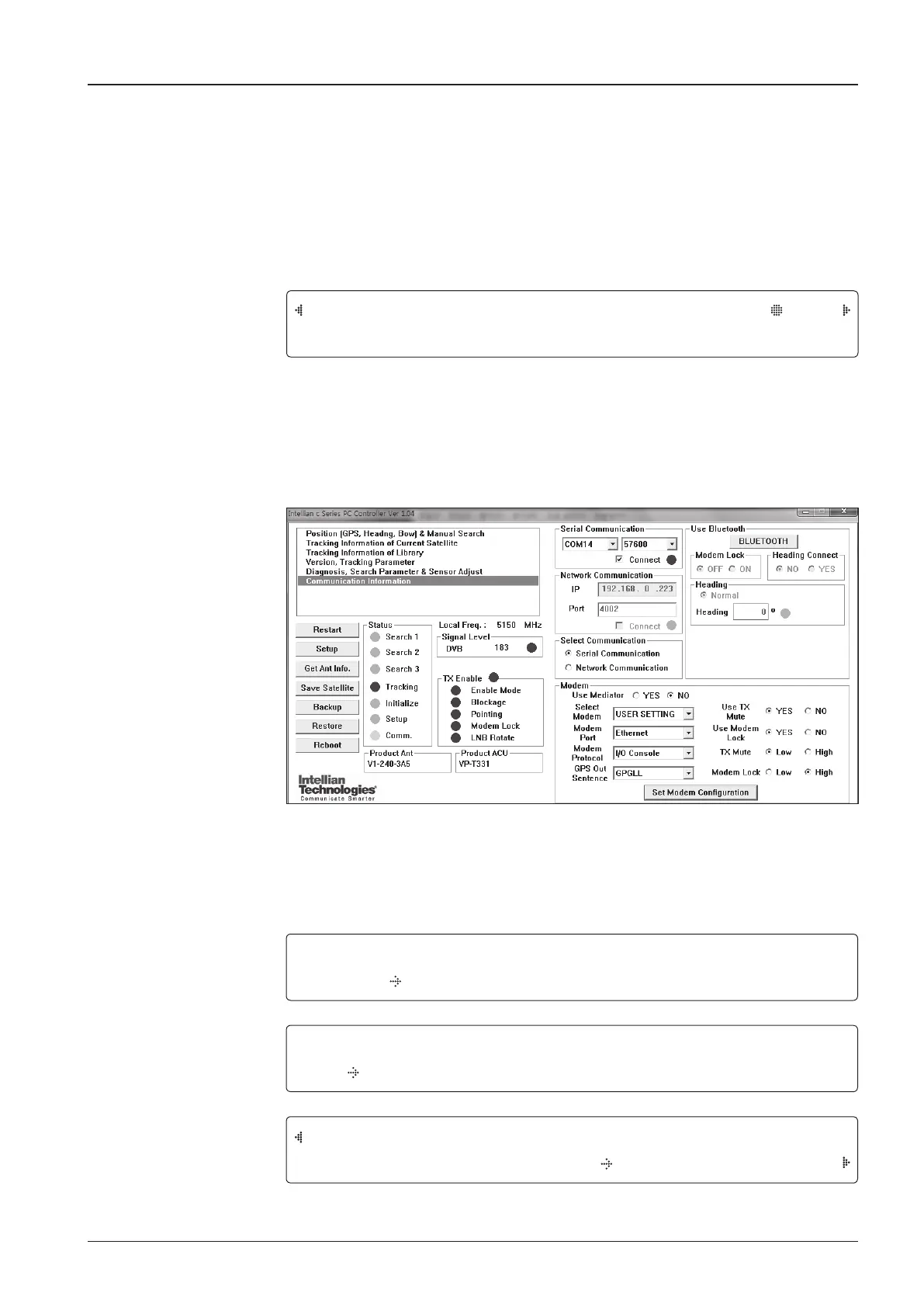
• After you connect the ACU to the PC with a USB cable, you have to click
the Use Bluetooth button within the PC Program's Communication Information
section in order to Enable the Bluetooth Module.
Appendix A: Setup Bluetooth Connection
TRACKING 116.0E KOREA3HN AGC:224 HL
AZ:201.4(201.4)EL:45.0 SK: -75.4 Fn
SETUP MODE ?
YES NO
+ANTENNA +SATELLITE
+SYSTEM +INSTALLATION
+SET LOCAL +SET LOCATION
+MODEM PORT
+MANAGEMENT


 To Next Page
 Loading...











