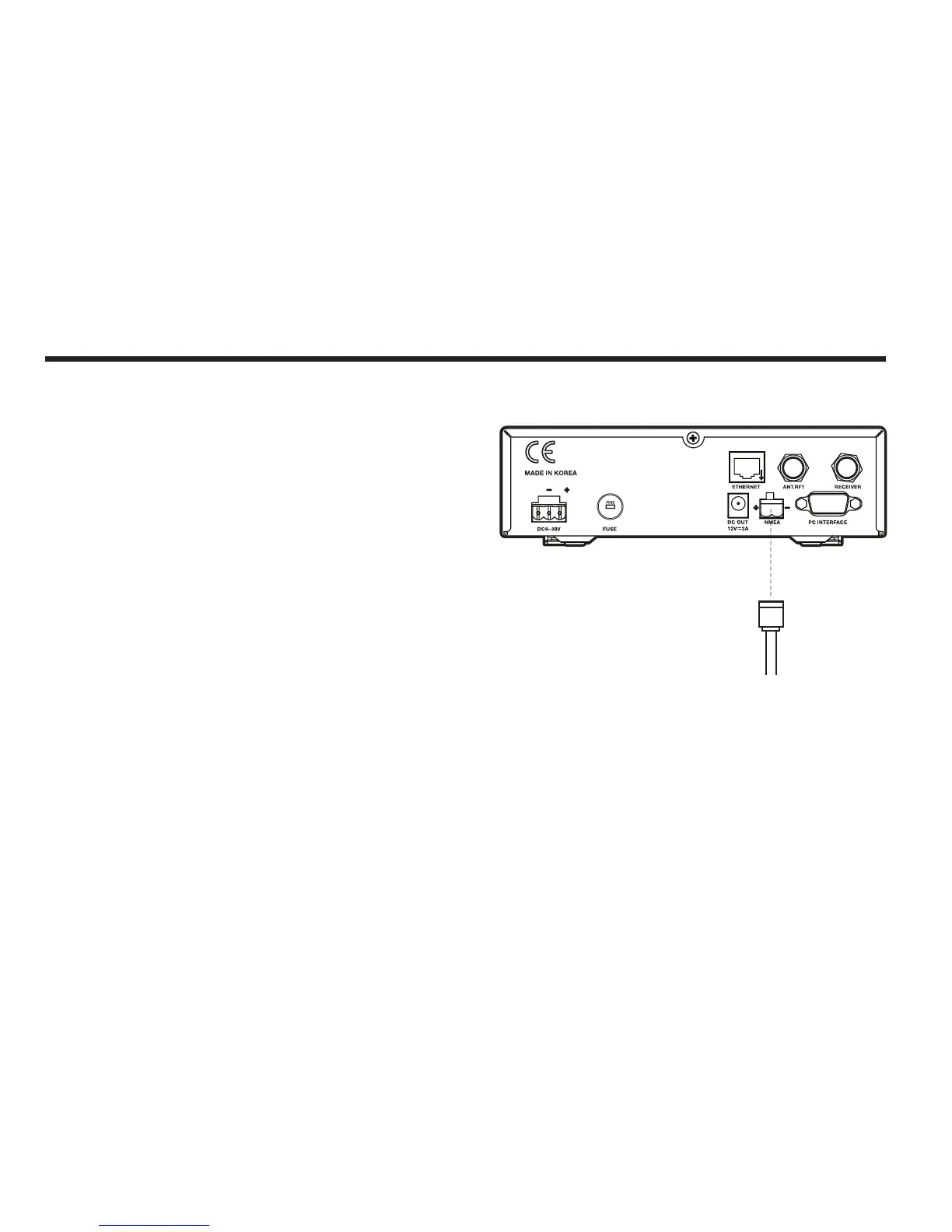
Connecting the system to a GPS
Your satellite TV system has a built-in GPS. If the internal GPS doesn’t
operate properly, you can directly connect your boat’s NMEA 0183 GPS
to the system through the ACU’s external GPS connector. To do this you
will need a suitable cable to connect your GPS system and the green
2-way ACU GPS connector supplied with your Intellian i6/i6P/i6PE Satel-
lite TV System.
To Connect the system to a GPS
1. Strip back the insulation of each conductor and connect each termi-
nal of the 2-way connector.
2. Tighten the locking screws.
3. Connect the +ve (positive) terminal of the ACU GPS connector to the
NMEA OUT wire of the boat’s GPS system.
4. Connect the –ve (negative) terminal of the ACU GPS connector to the
ground wire of the boat’s GPS system.
5. Ret the ACU GPS connector to the rear of the ACU.
GROUND (-)NMEA OUT (+)
Figure 19 : NMEA 0183 GPS Connection



 To Next Page