10
8.
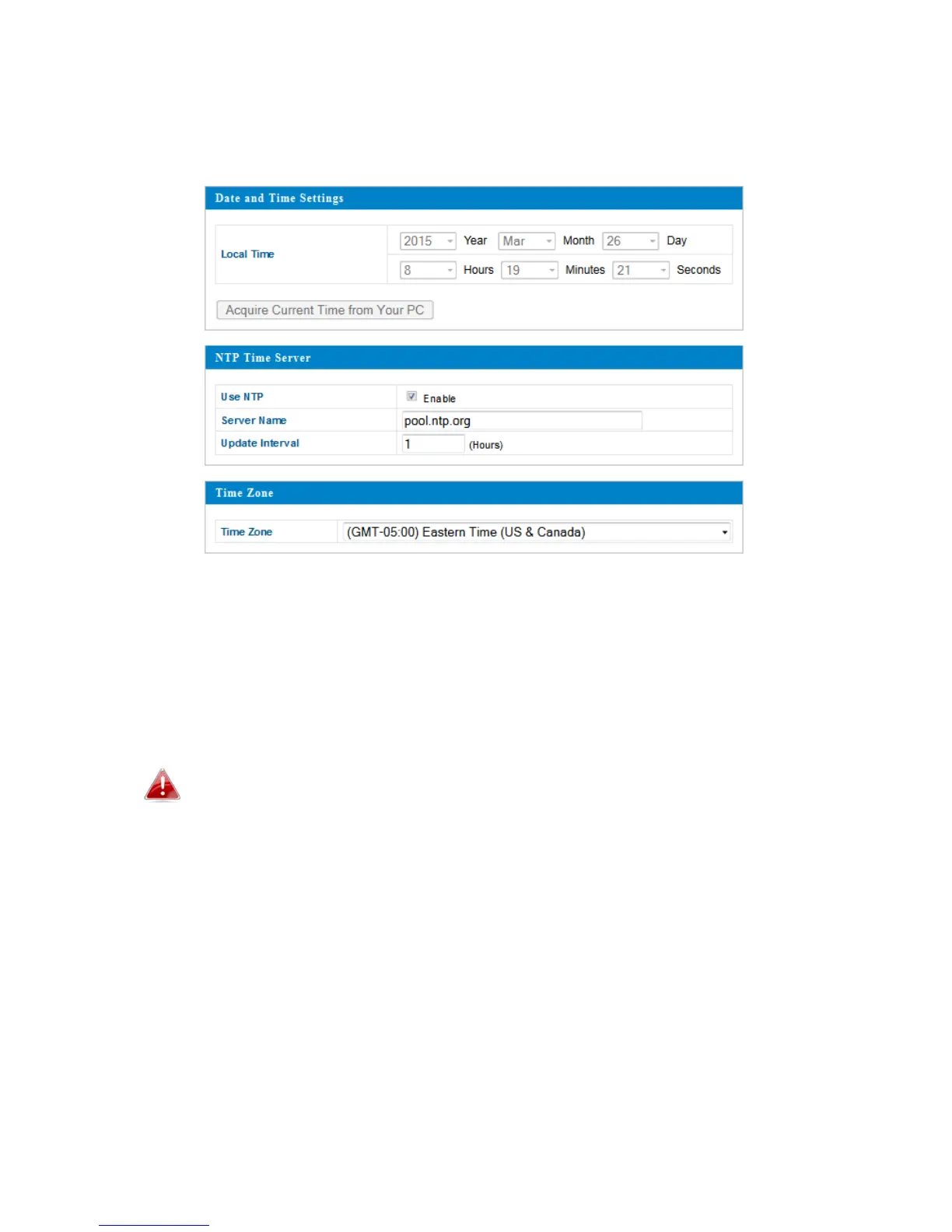
Tosetthecorrecttimeforyouraccesspoint,goto“Management”>
“DateandTime.”
9.
Setthecorrecttimeandtimezoneforyouraccesspointusing thedrop‐
downmenus.TheaccesspointalsosupportsNTP(NetworkTimeProtocol)
soalternativelyyoucanenter thehostnameorIPaddressofatimeserver.
Click“Apply”whenyouarefinished.
Youcanusethe“AcquireCurrentTimefromyourPC”buttonif
youwishtosettheaccesspointtothesametimeasyourPC.
10.
Thebasicsettingsofyouraccesspointarenowconfigured.Referto
III.HardwareInstallationforguidanceonconnectingyouraccesspointtoa
routerorPoEswitch.



 To Next Page