Need help?
Do you have a question about the Intellinet 525800 and is the answer not in the manual?
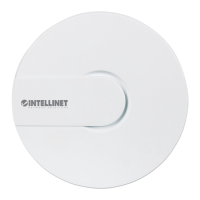
Key features of the wireless access point, including speed and design.
List of items included in the product package.
Details and identification of the access point's physical components.
Step-by-step guide for mounting the access point.
Instructions for connecting Ethernet and power cables.
Steps to establish a connection to the device's interface.
Process for accessing the device's administrative settings.
Information on firmware and interface requirements.
Overview of system parameters and device status.
Access to system settings, password, backup, and reboot functions.
Settings for wired and wireless network configurations.
How to properly end a configuration session.
Guide to changing the access point's IP address.
Steps to set up wireless security and encryption.
Procedures for resetting the device to factory defaults.
Configuration steps to use the device as a repeater.
Configuration steps to use the device as an AP client.
Guide to accessing the device configuration using SSH.
Instructions for setting a computer's IP address for access.
Detailed technical specifications of the access point hardware.
Legal license information for the software used.
 General
| High power | Yes |
|---|---|
| Modulation | 16-QAM, 64-QAM, BPSK, CCK, DBPSK, DQPSK, DSSS, OFDM, QPSK |
| Wi-Fi band | Single-band (2.4 GHz) |
| Wi-Fi standards | 802.11b, 802.11g, Wi-Fi 4 (802.11n) |
| Top Wi-Fi standard | Wi-Fi 4 (802.11n) |
| WLAN data transfer rate (max) | 300 Mbit/s |
| Cabling technology | 10/100Base-T(X) |
| Networking standards | IEEE 802.11b, IEEE 802.11g, IEEE 802.11n, IEEE 802.1D, IEEE 802.1x, IEEE 802.3, IEEE 802.3af, IEEE 802.3u |
| Ethernet LAN data rates | 10, 100 Mbit/s |
| Ethernet LAN interface type | - |
| USB port | No |
| USB 2.0 ports quantity | 0 |
| Ethernet LAN (RJ-45) ports | 1 |
| Flash memory | 8 MB |
| Certification | CC Class B, CE Mark, RoHS |
| Frequency band | 2.4 – 2.483 GHz GHz |
| Internal memory | 64 MB |
| Processor model | Qualcomm Atheros AR9341 |
| Maximum data transfer rate | 100 Mbit/s |
| Frequency range | 2.4 - 2.483 GHz |
| Security algorithms | 802.1x RADIUS, WEP, WPA, WPA-TKIP, WPA2, WPA2-AES |
| Antennas quantity | 2 |
| Antenna gain level (max) | 3 dBi |
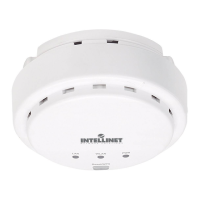
| Product color | White |
| LED indicators | Power |
| Storage temperature (T-T) | -20 - 60 °C |
| Operating temperature (T-T) | 0 - 40 °C |
| Operating relative humidity (H-H) | 10 - 90 % |
| Output current | 2 A |
| Output voltage | 48 V |
| Power source type | AC |
| Power consumption (typical) | 9 W |
| Number of products included | 1 pc(s) |
| Chipset | Atheros AR9341 |
| Harmonized System (HS) code | 85176990 |
 Weight and Dimensions
| Depth | 42.5 mm |
|---|---|
| Width | 144 mm |
| Weight | 800 g |

 To Next Page