3
I‐4.Reset
Ifyouexperienceproblemswithyouraccesspoint,youcanresetthedevice
backtoitsfactorysettings.Thisresetsallsettingsbacktodefault.
1.
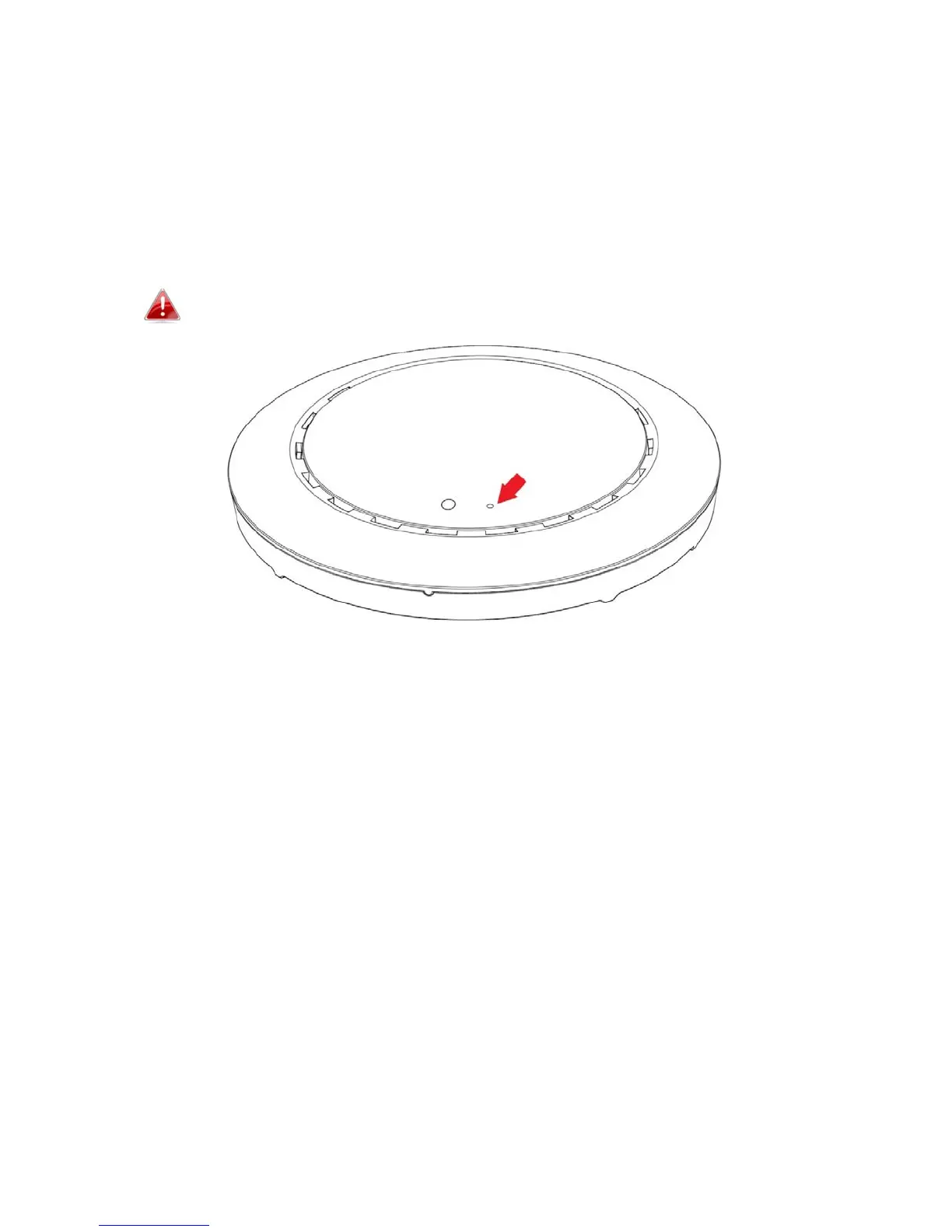
PressandholdtheResetbuttonontheaccesspointforatleast10
seconds,thenreleasethebutton.
Youmayneedtouseapinorsimilarsharpobjecttopushthe
resetbutton.
2.
Waitfortheaccesspointtorestart.Theaccesspointisreadyforsetup
whentheLEDisPurple.



 To Next Page