79
V‐1‐2. WindowsVista
1. Clickthe“Start”button(itshouldbelocatedinthelower‐leftcornerof
yourcomputer),thenclick“ControlPanel.”Click“ViewNetworkStatusand
Tasks,”thenclick“ManageNetworkConnections.”Right‐click“LocalArea
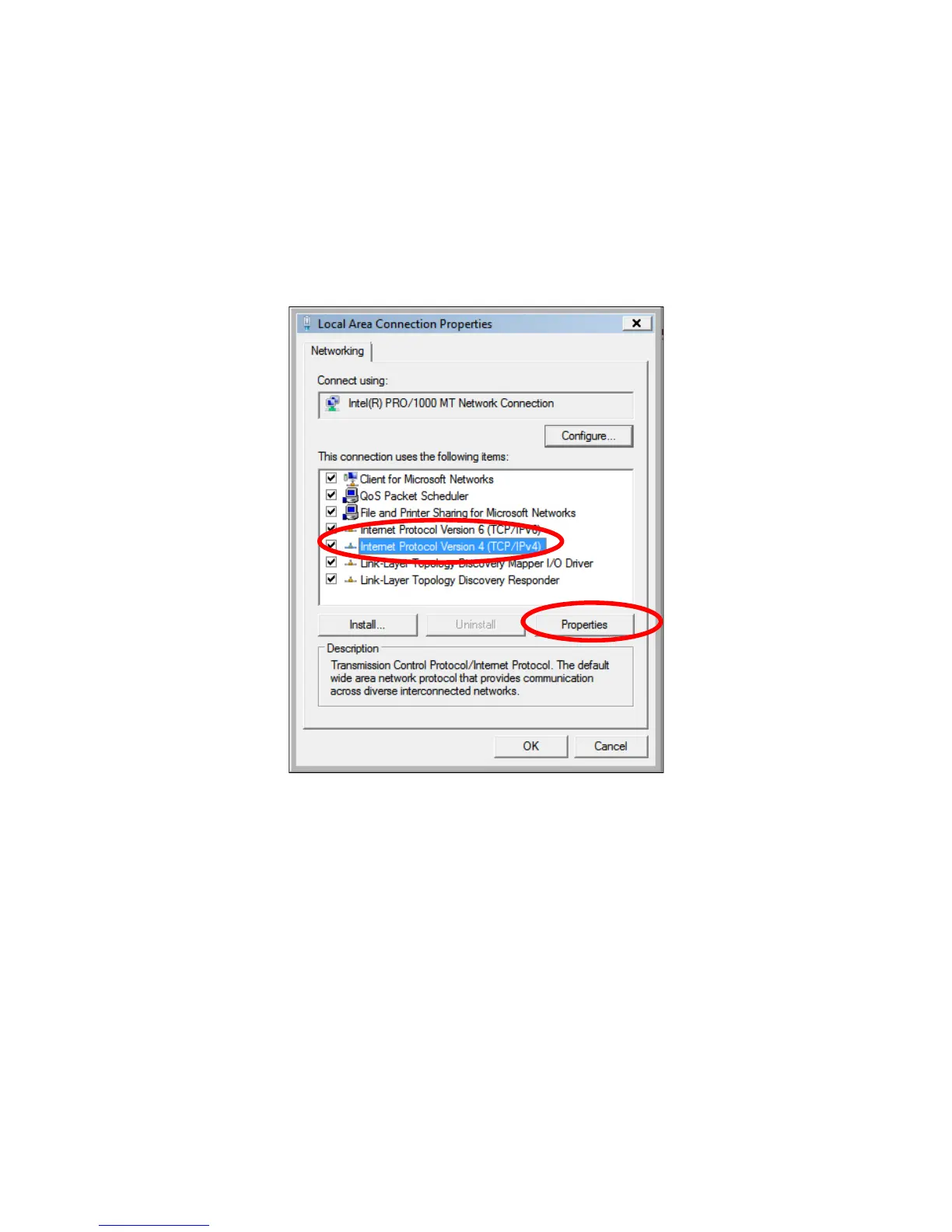
Network,”thenselect“Properties.”TheLocalAreaConnectionProperties
windowwillthenappear.Select“Internet
ProtocolVersion4(TCP/IPv4),”
andthenclick“Properties.”
2. Select“UsethefollowingIPaddress,”theninputthefollowingvalues:
IPaddress:192.168.2.10
Subnetmask:255.255.255.0
Click“OK”whenfinished.



 To Next Page