56
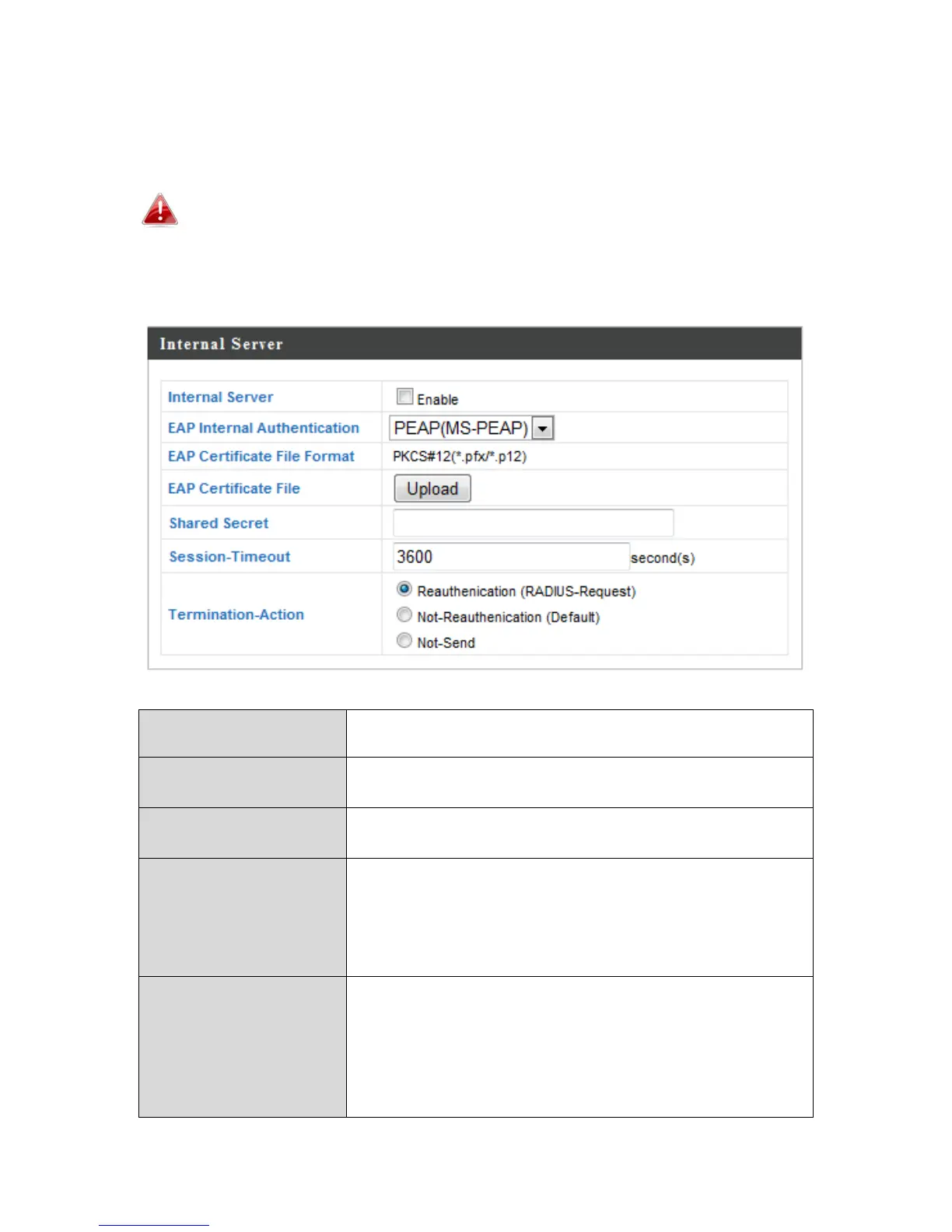
Theaccesspointfeaturesabuilt‐inRADIUSserverwhichcanbeconfiguredas
shownbelowusedwhen“Internal”isselectedfor“RADIUSType”inthe
“WirelessSettings”“RADIUS”“RADIUSSettings”menu.
TouseRADIUSservers,goto“WirelessSettings”
“Security”and
select“MACRADIUSAuthentication”
“Additional
Authentication”andselect“MACRADIUSAuthentication”(seeIV‐
3‐1‐3.&IV‐3‐2‐3).
InternalServer Check/unchecktoenable/disabletheaccess
point’sinternalRADIUSserver.
EAPInternal
Authentication
SelectEAPinternalauthenticationtypefrom
thedropdownmenu.
EAPCertificateFile
Format
DisplaystheEAPcertificatefileformat:
PCK#12(*.pfx/*.p12)
EAPCertificateFile Click“Upload”toopenanewwindowand
selectthelocationofanEAPcertificatefileto
use.Ifnocertificatefileisuploaded,the
internalRADIUSserverwilluseaself‐made
certificate.
SharedSecret Enterasharedsecret/passwordforuse
betweentheinternalRADIUSserverand
RADIUSclient.Thesharedsecretshouldbe1–
99charactersinlength.Thisshouldmatchthe
“MACRADIUS”passwordusedinIV‐3‐1‐3‐6or
IV‐3‐2‐3.



 To Next Page