5
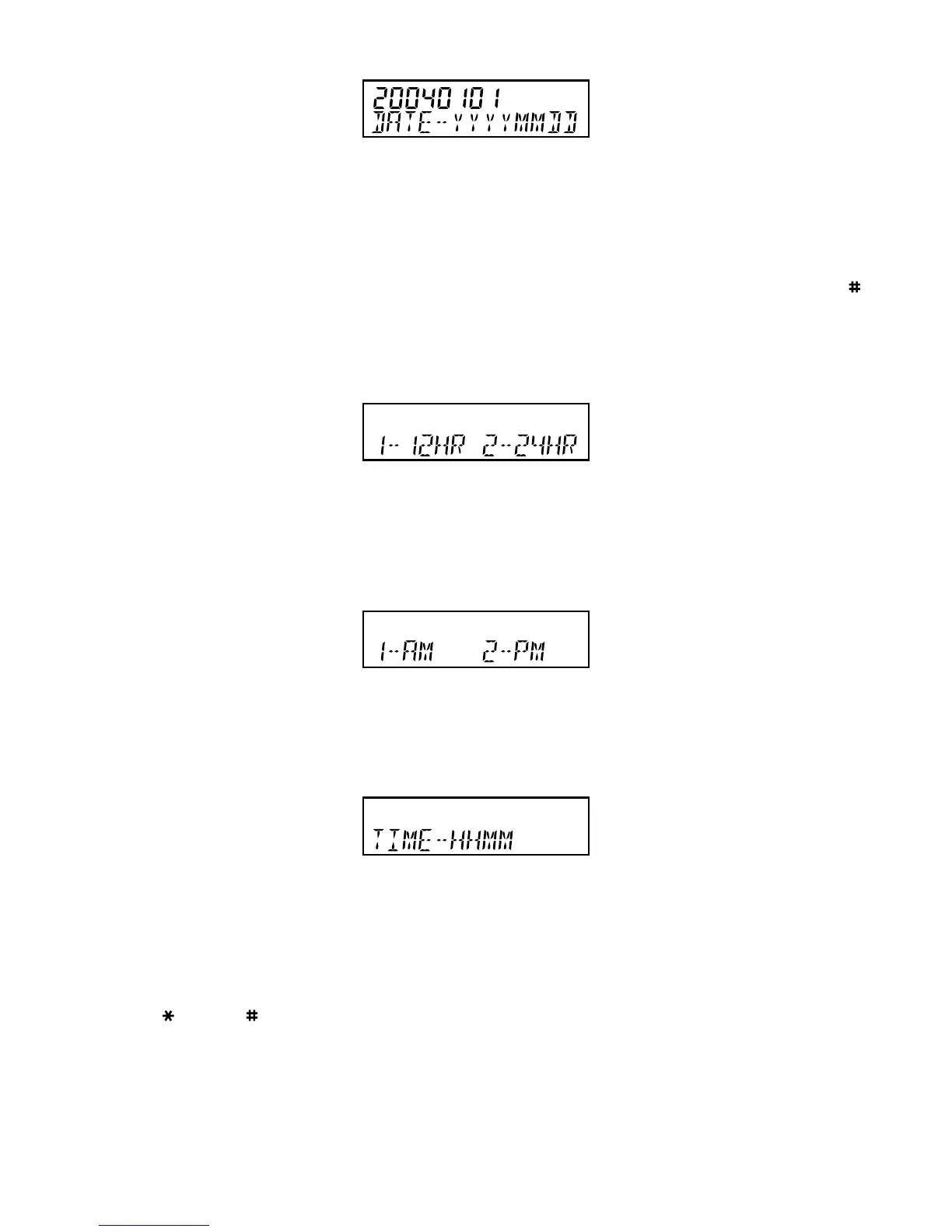
FIGURE 1A: DATE SETTING
1. If the display is blank, lift the Handset briefly to wake up the telephone. Replace the Handset in the cradle
2. For 10 seconds the display will show “20040101” and “DATE-YYYYMMDD” when the unit is first powered
up
3. If the display is alive but not showing “20040101” and “DATE-YYYYMMDD”, press STORE and then ;
the display will return to the “20040101” and “DATE-YYYYMMDD” mode. Proceed to step 4 within the
next 10 seconds; repeat step 3 if necessary to re-enter Date/Time setting mode
4. Enter Year (4 digits), Month (2 digits) and Date (2 digits)
FIGURE 1B: HOUR MODE SETTING
5. Hour Mode Setting - the display will now show “12-HR 24-HR”
6. Press 1 for 12 hour mode or 2 for 24 hour mode display (if 24 hour mode was chosen, please go to
step 9)
FIGURE 1C: AM/PM SETTING
7. If 12-hour mode was selected above, the display will show “1-AM 2-PM”
8. Press 1 or 2 to select AM or PM time display
FIGURE 1D: TIME SETTING
9. The display will show “TIME-HHMM” after completion of the hour mode setting
10.To set the current time enter 2 digits for the hour, followed by two digits for the minutes
11.The display will show “CLOCK STORED” and the date and time will be updated.
Note: use key and key to change any incorrect entries while carrying out the above procedure.



 To Next Page