11
BATTERY COMPARTMENT
As a precaution against the potential for a temporary interruption of mains power to affect the progress of
any ongoing call, 3 x AA alkaline batteries can be fitted to the compartment. They can provide up to one
month’s support of all functions while mains power is absent, and battery power will not be consumed while
mains power is present. If batteries have been fitted, it is recommended that they be routinely replaced
before the “best before” date indicated by the battery manufacturer (consult the packaging or check on the
battery).
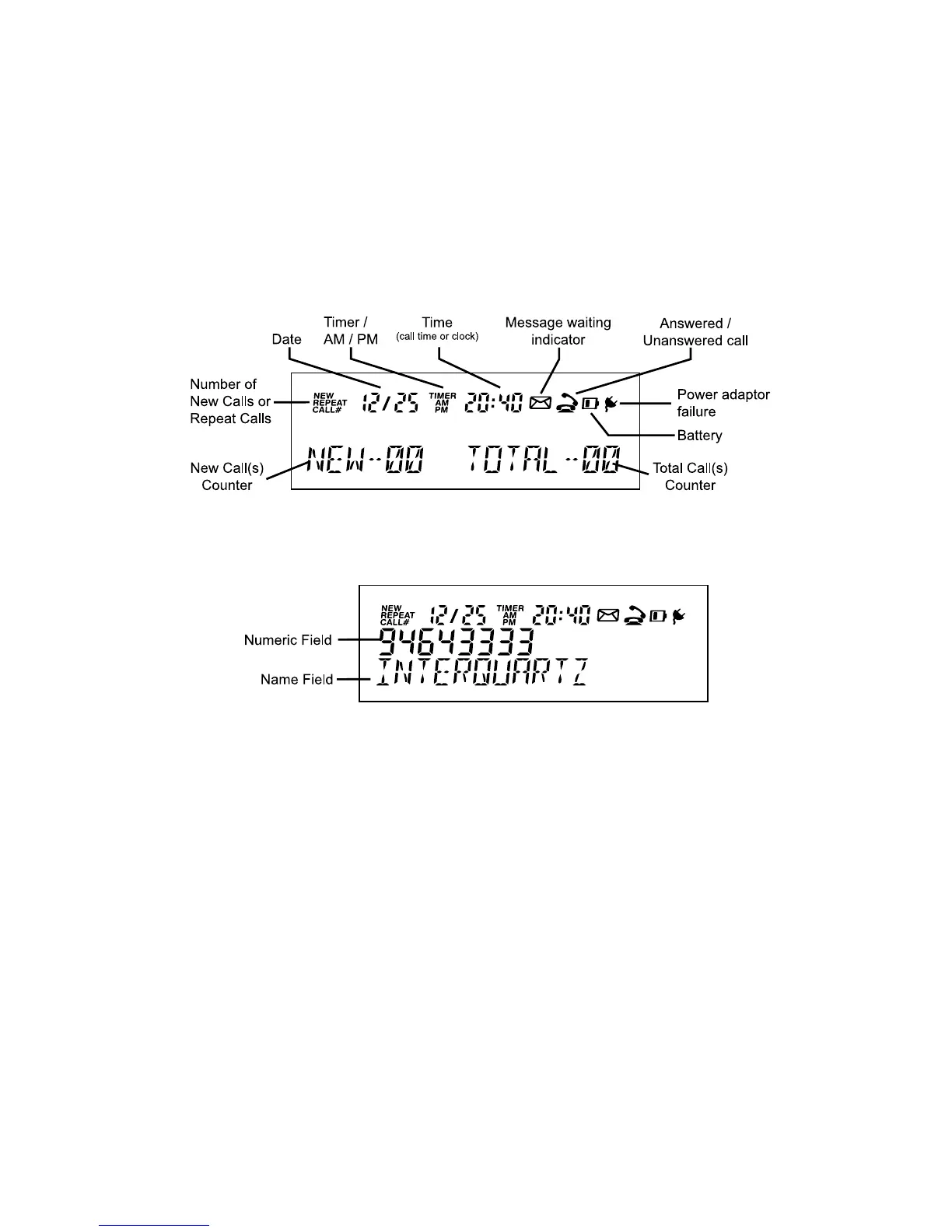
DISPLAY ICONS AND FIELDS
FIGURE 3A: DISPLAY IN IDLE STATE
FIGURE 3B: TYPICAL DISPLAY APPEARANCE WHEN SHOWING
DETAILS OF A CALL



 To Next Page