INSTALLATION
17
Connection and Configuration
A step-by-step guide
In some applications, the DCC Pro can be installed and connected straight out
of the box without any changes to the conguration. In other situations it is
necessary to change these defaults, a dierent battery type for example, as
detailed below (see Charging Modes section on page 6 for explanation).
For safety reasons, the battery type and control mode can only be changed
during set-up (conguration mode) before the auxiliary battery is connected.
Of course, these selections can be changed at any time but the auxiliary battery
must be disconnected in order to do so.
In default state the conguration is based on a standard battery to battery
charging installation and assumes the following:
1. The auxiliary battery is a standard lead acid type (sealed or unsealed).
2. The system is not controlled by the vehicle’s ignition circuit. This default
mode is dened as voltage control as opposed to ignition control (see page 6
for an explanation).
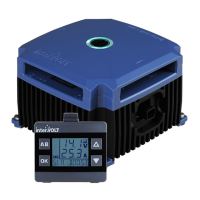
The Remote Display is initially used for conguring the Charging Device upon
installation. Most importantly the Remote Display allows for selection of
dierent battery types (chemistries) and the control mode, Voltage Sense or
Ignition Control (see explanation on page 6).
The following options are available for selection:
• Standard Lead Acid – displayed as 1 LEAD ACID on the Remote Display
during set-up or SLA in short form.
• Absorbed Glass Mat – displayed as 2 AGM on the Remote Display during
set-up and in short form.
• Gelied Electrolyte – displayed as 3 GEL on the Remote Display during
set-up and in short form.
• Lead Calcium – displayed as 4 CALCIUM on the Remote Display during
set-up or LCA in short form.
• Constant Float – displayed as 5 FLOAT on the Remote Display during
set-up and in short form.
The following pages illustrate the step by step conguration process for
installing the Charging Device and Remote Display. If there is a need to
change the battery type and control mode, this process must be completed
in the order depicted for the DCC Pro to operate correctly.


 To Next Page