OPERATION
28
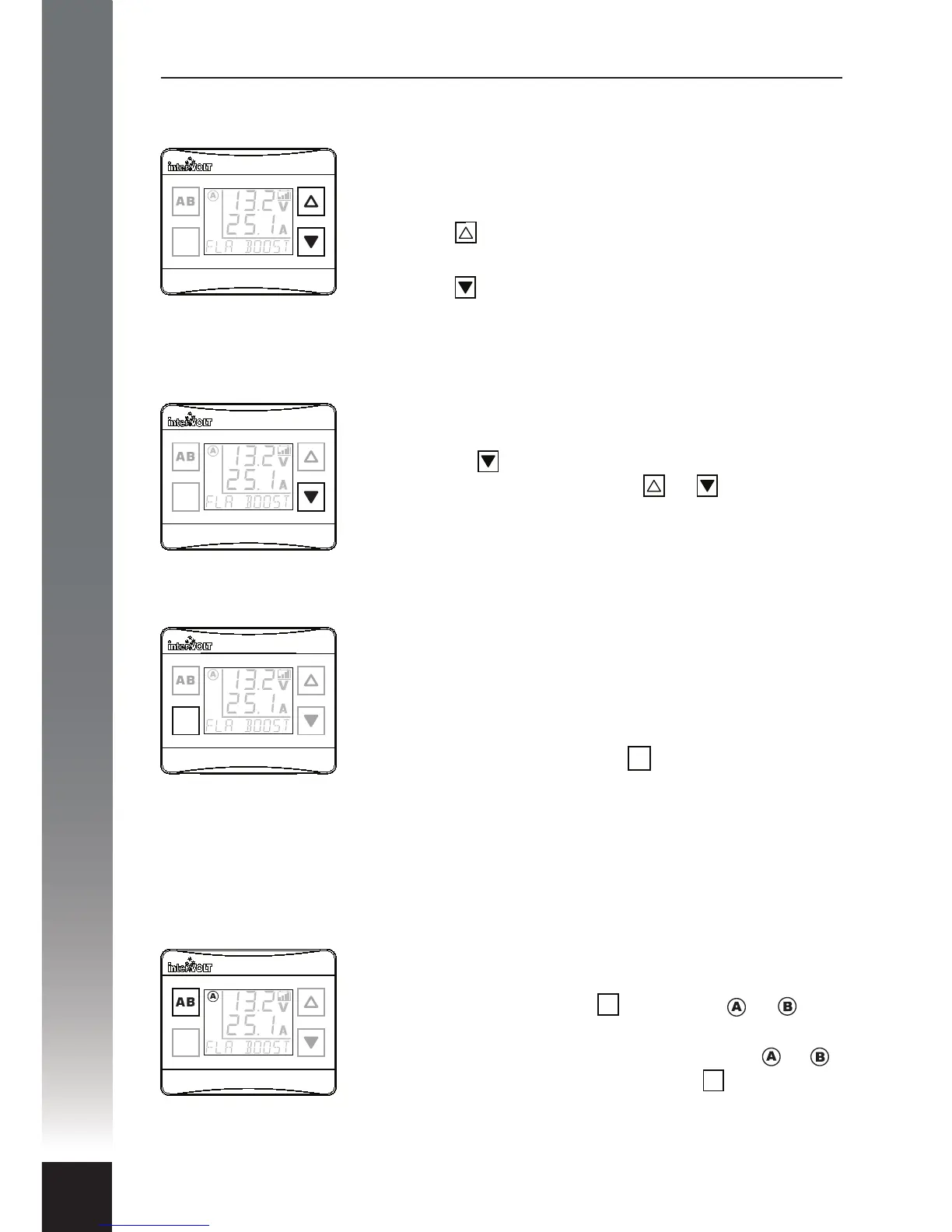
Once the backlight brightness settings have been
selected (see page 27), controlling it becomes a
convenient one touch process.
Press the button momentarily and the backlight will
assume the highest pre-set brightness
Press the button momentarily and the backlight will
assume the lowest pre-set brightness
By default the backlight is always on when powered
but it can be switched o at any time by pressing and
holding the button for 2 seconds. It can be switched
on again by pushing either the or button
momentarily.
The upper three digit character set always displays the
auxiliary battery voltage but the lower character set
can be toggled to display either the auxiliary charging
current or the main battery Voltage. This function
cannot be used when the charger is o or in standby
mode. Momentarily press the button to toggle the
character set. If battery to battery charging is active the
display will indicate the current in Amps but if solar
power is in use the display will indicate the charging
power in Watts.
If two Charging Devices are installed and connected to
a single display it is easy to toggle between both by
momentarily pressing the button. The or icon
will indicate the status of the device being monitored.
If only one Charging Device is connected the or
icons will not appear and pressing the button will
result in a system error message. This does not cause
any problems and the message will simply disappear
after a few seconds.
Backlight Brightness Control
Backlight On/O Control
Toggle Between Auxiliary Battery Charging Current and Main Battery Voltage
Toggle Between Two Charging Devices
Operator Control Functions
OK
OK
OK
OK
AB
OK
AB


 To Next Page