OPERATION
29
Operator Monitoring Functions
Once installed and congured the DCC Pro Remote Display can be used to
monitor a range of functions and provide valuable feedback to the operator on
the status of the dual battery system.
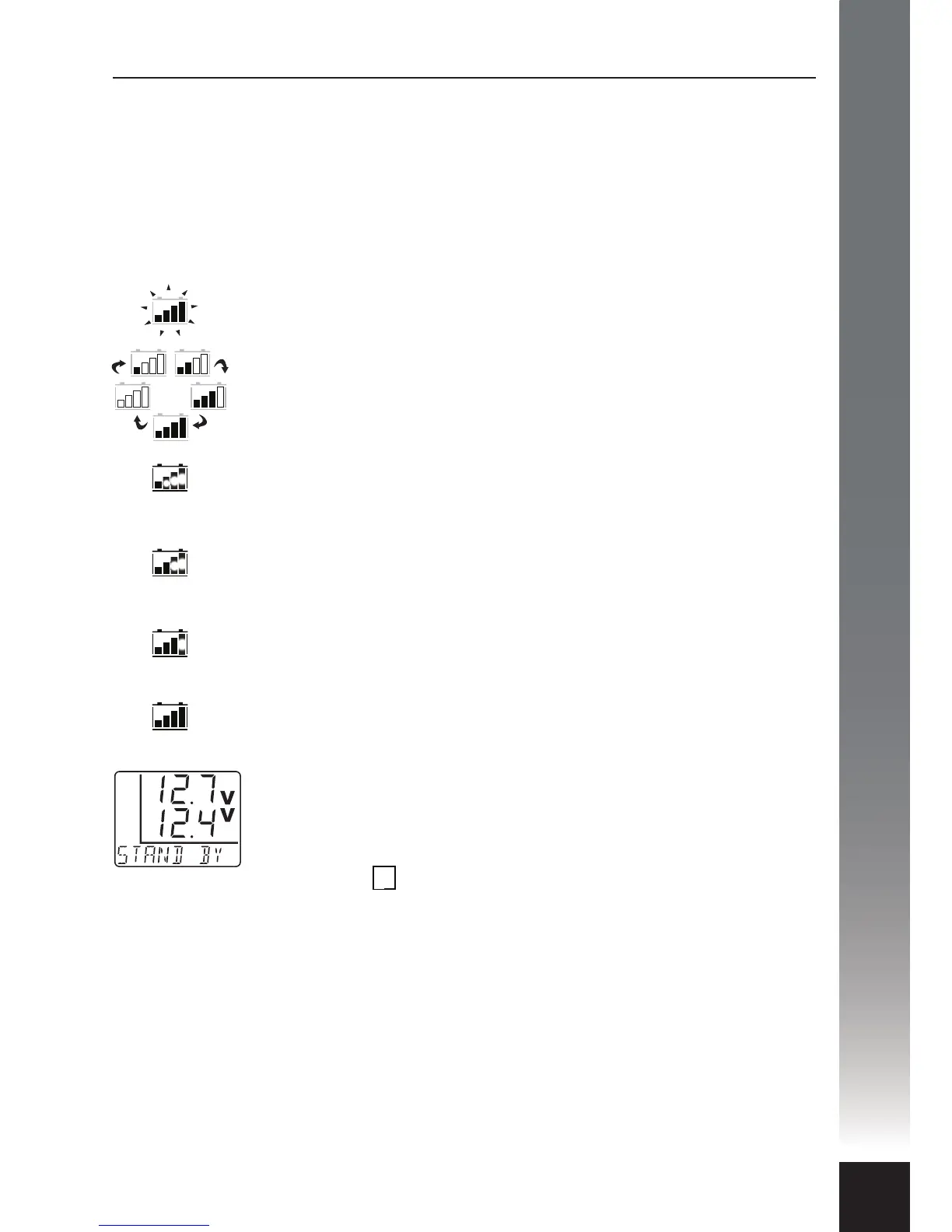
The Battery Icon is a multi-function indicator used to display the dierent
charging cycles and methods. It is a useful quick reference tool to know what the
charging status is when the Remote Display is in dual voltage mode for example.
Solar charging
All bars in the battery icon are ashing intermittently.
Boost charging
When voltage level is below 13V all bars are continuously lling
up in a cycle.
Boost charging
When voltage level is below 13.5V the rst bar is lled and the
rest are lling up in a cycle.
Boost charging
When voltage level is above 14V the rst two bars are lled and
the rest is lling up in a cycle.
Absorption/Float charging
If current is higher than 5A the rst three bars are lled and
steady and the last one is lling up.
Float charging
If current is lower than 5A all bars are lled and steady.
If the main battery voltage has reached the lower cut-out limit,
the Charging Device output is switched o and the Remote
Display is automatically disabled (sleep mode) to conserve
power. The Remote Display can be ‘woken’ momentarily by
pressing the button and will temporarily display the
following:
• Auxiliary Battery Voltage. This is always displayed as the
upper numeric set.
• Main Battery Voltage. This will be displayed as the lower
numeric set.
• Charging Device Status. This is displayed as STAND By on
the multi-function character set.
In the above condition the Charging Device LED Glow Ring will
illuminate white intermittently (every 8 seconds).
OK


 To Next Page