FUNDAMENTALS
6
Charging Modes
There are two optional modes which control how the charging system operates.
These modes are selectable in the initial set-up process when installing the
device and control the charging process in dierent ways. The control modes
can always be changed if necessary but the initial set-up and installation steps
need to be repeated in order to do so. The control modes are dened and
explained as follows:
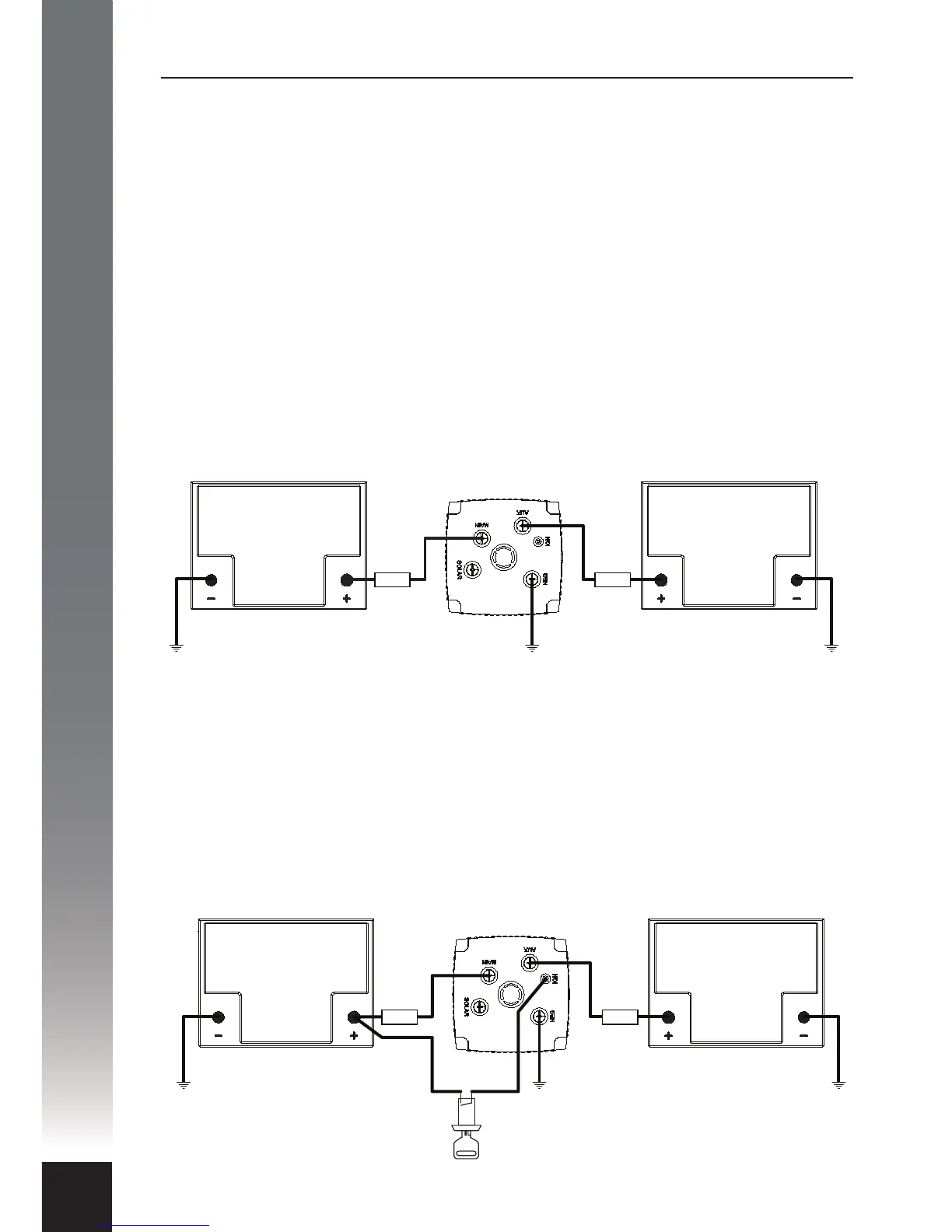
Voltage Control Mode: Voltage mode is the default (factory) mode and allows
the charging process to operate automatically, independent of the host vehicle.
This mode is recommended for installations where it is not viable or necessary to
use the host vehicle’s ignition switch to enable/disable the Charging Device.
Voltage mode would primarily be used where the Charging Device is located in a
caravan or camper trailer for example, and thus a long way from a switched
ignition source.
Ignition Control Mode: Ignition mode is selectable at the set-up stage of the
installation process and is the alternative to Voltage mode. This mode is
recommended for installations where the auxiliary battery is mounted in the
host vehicle, in the engine bay or under the tray for example. In Ignition mode a
control wire is permanently connected to the Charging Device from the vehicle’s
electrical system to allow dependent control via the host vehicle’s ignition
switch. In this mode the Charging Device can be enabled or disabled when the
ignition switch is turned on or o respectively.
MAIN
BATTERY
AUXILIARY
BATTERY
CHARGING
DEVICE
FUSE FUSE
MAIN
BATTERY
AUXILIARY
BATTERY
CHARGING
DEVICE
IGNITION
SWITCH
FUSE FUSE


 To Next Page