Instructions for Use
1. Turning the InterX 5002 ON
Once the patient has been examined, InterX
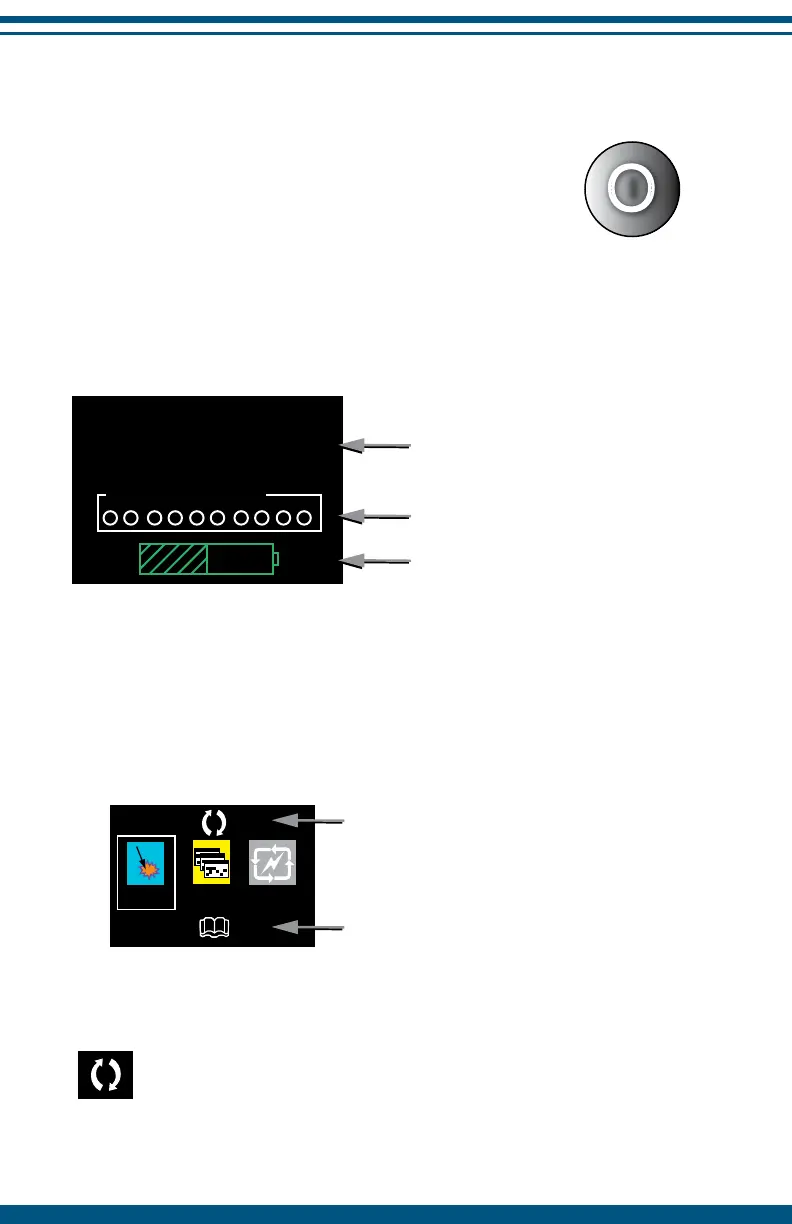
therapy can begin. Turn the device on by
pushing the ON/OFF button.
Upon startup the user should verify a short audible beep, the LED will then
briey ash red and then green and the device will perform a brief system test
(see below). Once complete, the Main Screen will appear on the display.
NOTE: To turn the device o, press and hold the ON/OFF
button for a few seconds. This feature prevents accidental loss
of stimulation.
2. The Main Screen
The main screen provides a guide to select stimulation patterns based upon
the patient’s condition.
SELECT Acute, Chronic or Cycle to access the recommended list of preset
stimulation patterns for that application.
The Flip screen icon allows a user to ip the screen orientation for
left handed use. Highlight the icon and press SELECT to activate.
To return to the right handed screen, highlight and SELECT the
icon again.
9
NRG InterX 5002
SN: 122354
Pat. Pending
System Test Progress:
Device serial Number
System test progress
Battery level
Cyc1ChronAcute
Flip Screen
Full Preset List


 To Next Page