Point-stim
Point-stim is the targeted treatment of a specific area of pain and/or low
impedance. A Point-stim may take only a few seconds or it may take up to
a minute. The Point-stim function is active in all continuous or burst preset
patterns. These preset patterns are labeled with a icon in the preset list.
Pressing a button or removing the device from the skin during a Point-stim
will cancel the process automatically. Upon completion, a tone will sound
indicating that the body is responding to the stimulation and the InterX 5002
has recorded a change in the tissue impedance.
1. Select a preset stimulation pattern
Either from the Main Screen or from the full preset list.
-------------------------------------------------------------------------------------------------
2. Set stimulation intensity (pg. 12-13)
The stimulation should be a comfortable tingling sensation.
-------------------------------------------------------------------------------------------------
3. Apply a Point-stim
Place the device onto the skin and hold it still until the Point-stim value
appears on the screen and audible tone is heard. This indicates that the
Point-stim is complete.
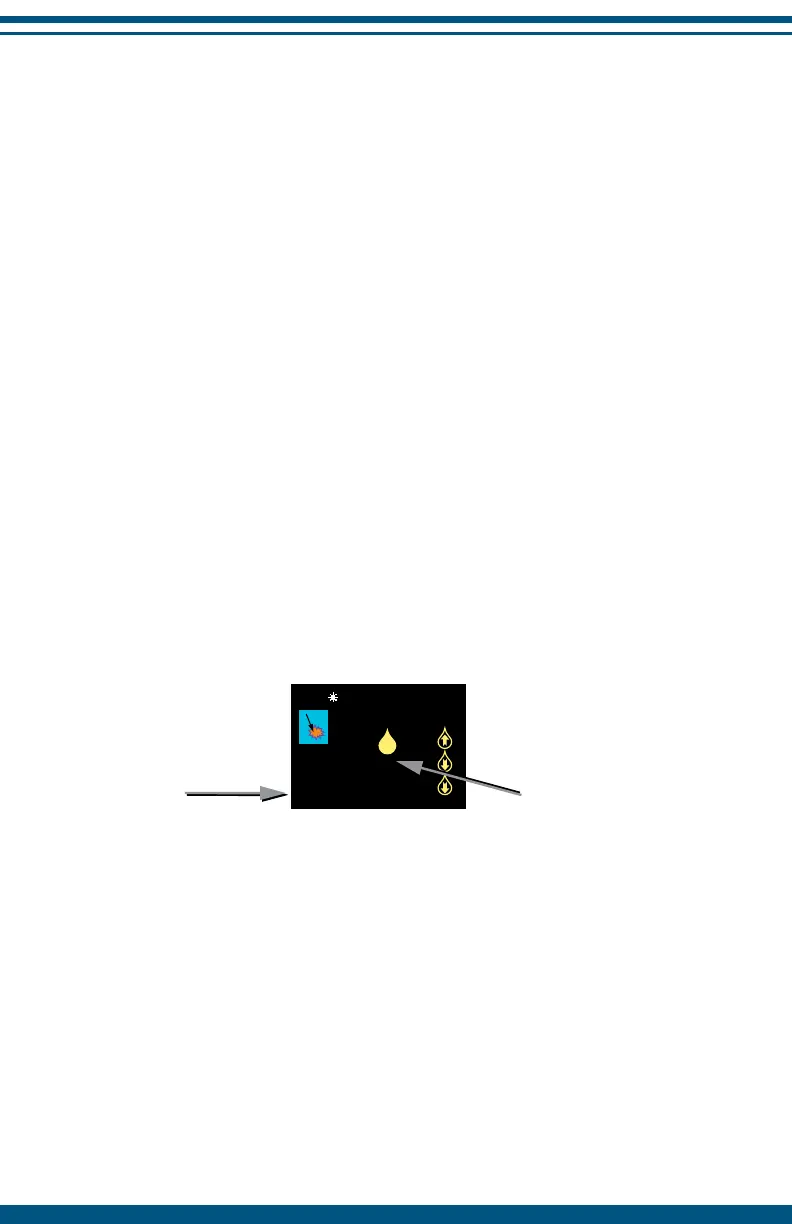
Point-stim value – An audible tone will be heard, the green LED will flash
once and the numeric value will appear next to the stimulation icon.
Time on skin – This timer indicates how long the device has been in contact
with the patient’s skin. A single Point-stim usually takes between 20 and 60
seconds. When the time on skin reaches 9 minutes 59 seconds the device
will enter the pause mode.
21
480 27.5%
0:53
45
Time
on skin
Point-stim
value


 To Next Page