Full Preset List and Descriptions
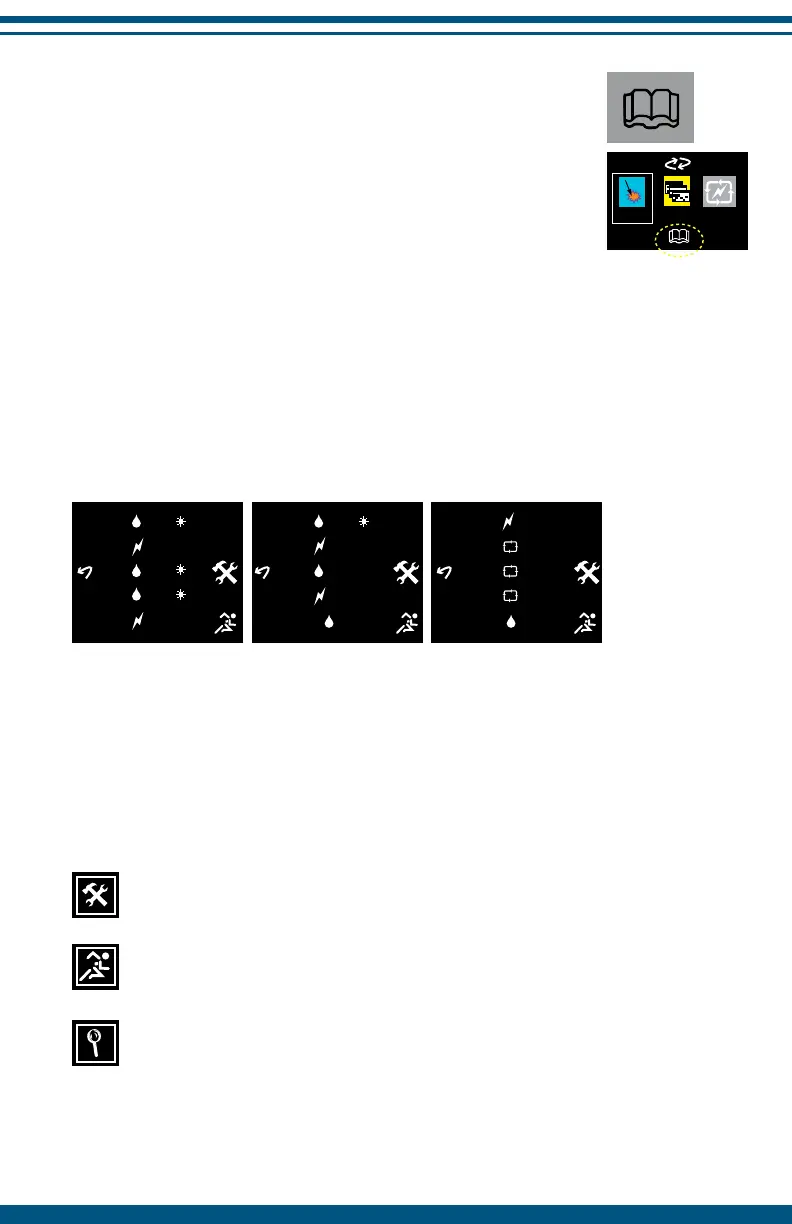
The book icon takes you to the full preset stimulation
pattern list and the setup options. To access the book icon,
turn the device on and use the NAVIGATION button to
highlight and select the book icon in the bottom center
portion of the screen.
From a preset stimulation pattern screen, press any of the NAVIGATION
buttons to bring up the navigation screen and select the book icon (pg. 11).
To change from one preset to another, simply use the UP and DOWN
NAVIGATION buttons to highlight the desired preset and then press the
SELECT button to activate it.
Preset stimulation patterns are displayed by a number that represents pulses
per second (e.g., 480* has 480 PPS). Stimulation is delivered in burst, variable
or continuous stim patterns.
All presets are numbered and listed in order based upon the Condition stage
in which they appear.
Access to InterX Setup options (pg. 24).
Activate Sport Mode (pg. 25).
Activity Reading is active in presets with this icon (pg. 13).
Note: Activity Reading is not available when the comb electrode is plugged
into this device.
14
6 240
7 30-120
8 60
9 15-60
10 15
11 3:1
12 Cyc1
13 Cyc2
14 Cyc3
15 180
1 480 S
2 90-360
3 360
4 480
5 90-360


 To Next Page