22
Multi-stim
Multi-stim is a series of Point-stims delivered to one point of treatment.
To activate Multi-stim, briefly remove the device from the skin after the
first Point-stim tone is heard and immediately replace in the exact same
location.
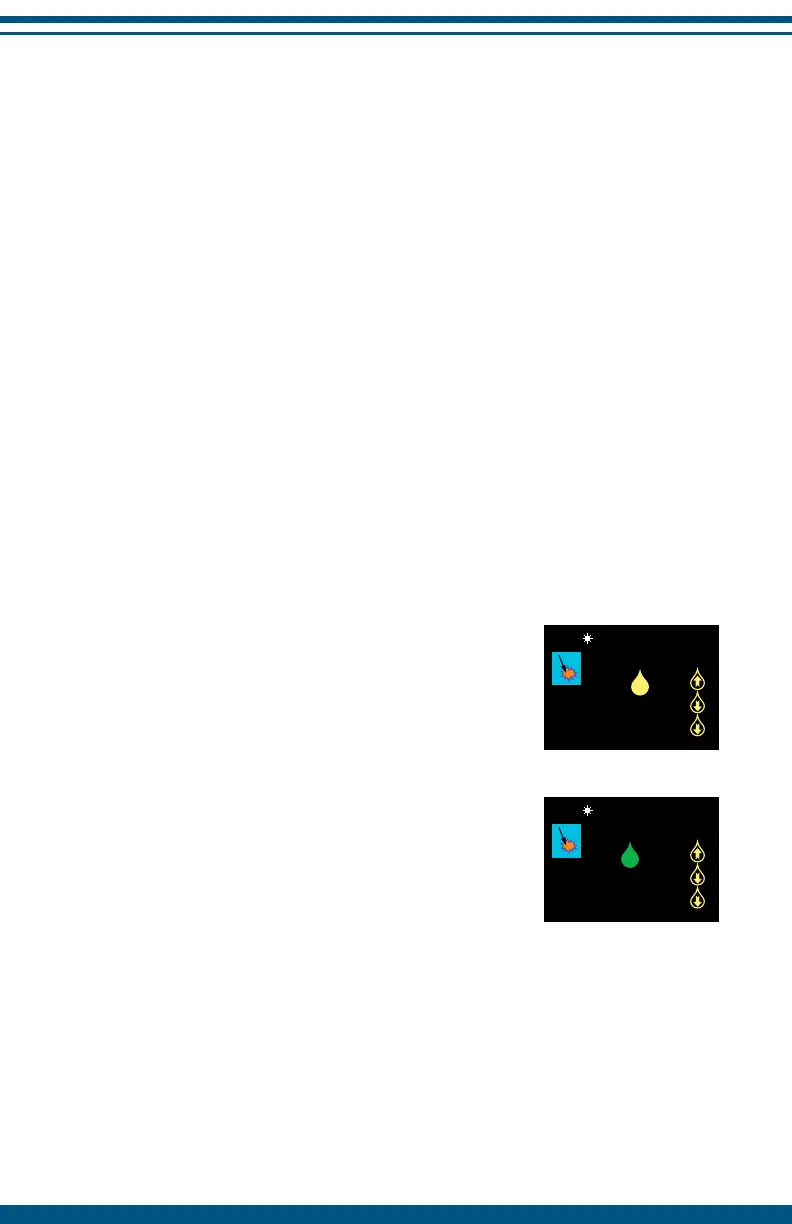
The aim is to achieve a peak in the Point-stim values followed by two
successively lower values or up to eight Point-stims (whichever is occurs
first). During Multi-stim the peak value is saved in the top position on the
right side of the screen and any subsequently lower Point-stim values are
saved below this peak value. The Multi-stim function is an extension of the
Point-stim and is active in all continuous or burst preset stimulation patterns.
These presets are labeled with a icon in the preset stimulation list.
1. Select a preset
Either from the Main Screen or from the full preset stimulation list.
-------------------------------------------------------------------------------------------------
2. Set Stimulation Intensity (pg. 12-13)
The stimulation should be a comfortable tingling sensation.
-------------------------------------------------------------------------------------------------
3. Apply a Point-stim
Place the device onto the skin and hold it still until
the Point-stim value appears on the screen, the green
LED flashes and a tone rings. This indicates that the
Point-stim is complete.
-------------------------------------------------------------------------------------------------
4. Activate Multi-stim
Once the initial Point-stim is completed, remove
the device from the skin and replace onto exactly
the same point within 3 seconds to retain the value
and activate Multi-stim. The Point-stim value is then
saved on the right side of the screen. As Multi-stim
continues, the peak Point-stim value is saved in
the top row and any subsequently lower Point-stim
values are saved below it.
NOTE: Removing the device from the skin during any individual Point-stim
or pressing any button will automatically cancel Multi-stim.


 To Next Page