25
Sport Mode
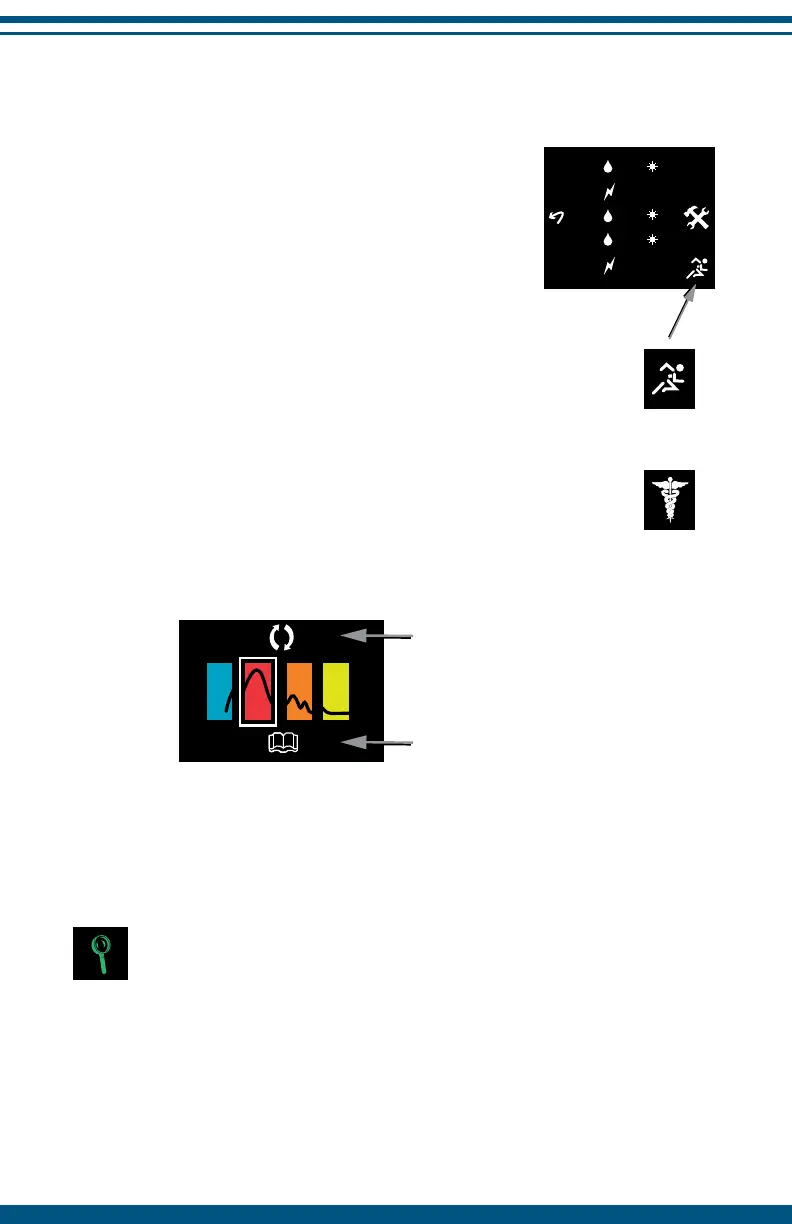
The Sport mode of the InterX 5002 can be accessed
by selecting the Sport icon from the full preset list.
The Sport mode provides the same preset
stimulation patterns as the 5002 mode but the
method of selection is through the Injury Curve.
The Injury Curve is a graphical representation of
the stages of recovery from injury. It serves as a
guide to select stimulation patterns based upon
the stage of injury, from initial occurrence beyond
repair to chronic.
To return to the 5002 mode select the 5002 icon
that is on the right side of the full preset list.
The Injury Curve main screen of the Sport Mode
Selecting one of the icons of the injury curve will immediately activate the
default preset stimulation pattern for that stage.
NOTE: Activity Reading is OFF when using the Sport Mode. Go to
InterX setup options (pg.24) to turn Activity Reading ON while in
Sport Mode.
Flip Screen
Full Preset List
1 480 S
2 90-360
3 360
4 480
5 90-360
Sport icon
5002 icon


 To Next Page