Accessory Electrodes
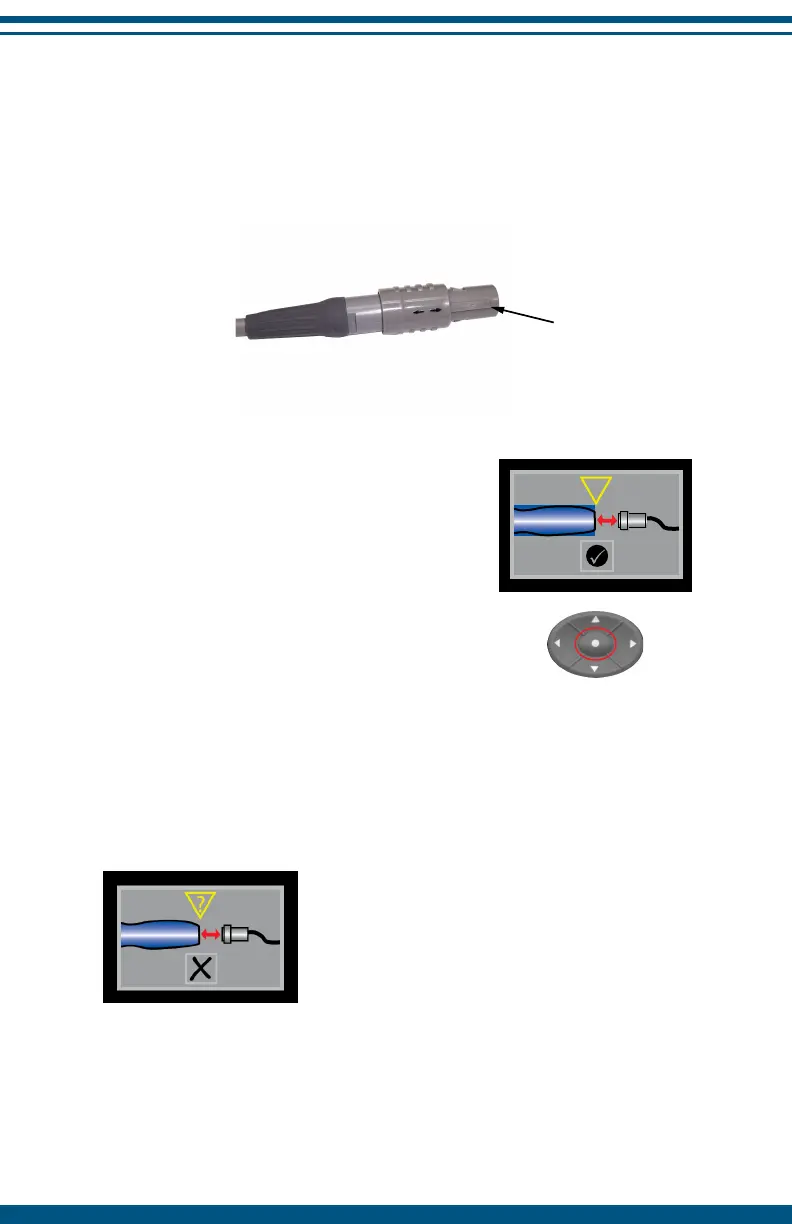
Accessory electrodes plug into the accessory port located at the opposite
end of the device to the main electrodes. Use care when plugging in the
lead wire noting the alignment guide for connection. To remove, hold the
insulated connector and gently pull apart.
stimulation, for example, while the InterX 5002 is in the Main screen.
If an electrode is plugged in during active
stimulation, this caution screen appears. Press
the SELECT button to accept the accessory
electrode and return to the Main Screen. Reset
the appropriate preset stimulation pattern for
the treatment you are providing and reset
the stimulation intensity. For safety reasons,
certain accessory electrodes are compatible
with limited preset options.
Do not attempt to plug other devices or accessories into the InterX 5002. Only
manufacturer approved electrodes may be used. The individual accessory
electrode packaging contains instructions for care and replacement of
accessory electrodes. Use of all accessory electrodes should be consistent
with the instructions provided in this manual unless dierences are stated in
the instructions provided with the electrode.
18
Alignment guide
?
If an invalid electrode is detected this caution
screen will appear and the device will
become unresponsive until the electrode in
question is removed. Remove the electrode
and the InterX 5002 will return to the Main
Screen. Reconnect the electrode to determine
the cause of the invalid electrode caution
screen. If the device accepts the electrode,
resume using the device. If the caution screen
reappears, please contact your InterX 5002
distributor for advice and assistance.
NOTE: Do not jerk the lead wire upon removal as this may cause damage.
Accessory electrodes should be connected when there is no active
Insulated connector


 To Next Page