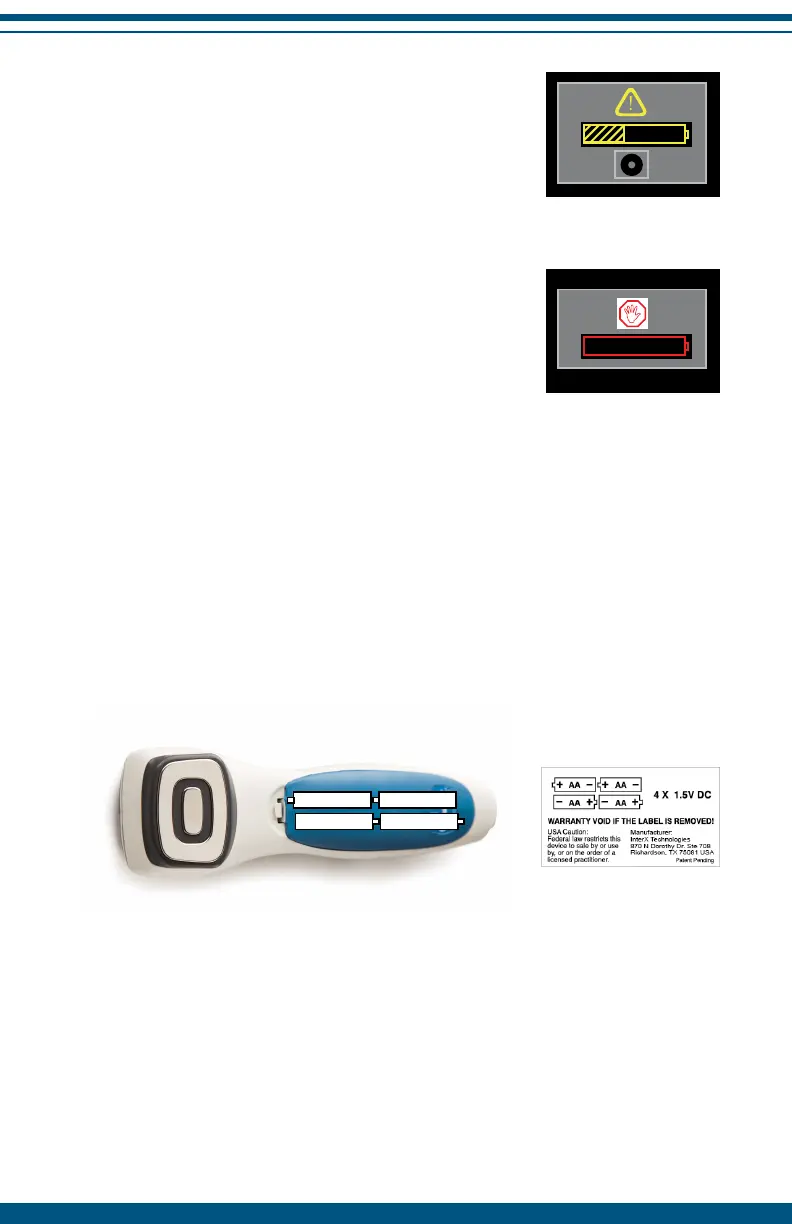
Low Battery Condition
When the battery is low, the yellow low battery
warning will appear on screen. Press select to
continue using the device after this warning. The
InterX 5002 will continue to stim for approximately
one additional hour.
Battery Dead Condition
When the battery is dead, the red dead battery
warning icon will appear on the screen. The
device will immediately turn off. Change batteries
to continue use. Once you have replaced the
batteries, reset the appropriate treatment settings
and intensity to continue treatment.
Removing and Replacing Batteries
To remove the batteries, open the battery case and pull out the old batteries.
Properly dispose of old batteries and replace with fresh, new AA Alkaline
batteries as indicated below. Securely replace the battery cover on the device
by pushing until it snaps in place. The device will not function if the batteries
are placed in the compartment incorrectly.
28


 To Next Page