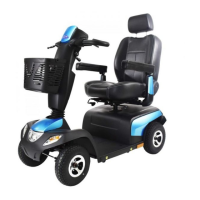
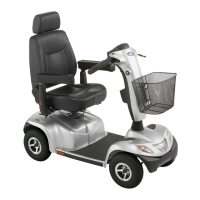
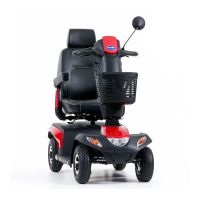
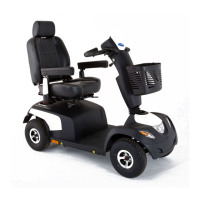
Invacare®PegasusSeries
Thecontrolsystemisprogrammedwithstandard
valuesintheworks.YourInvacareprovidercancarry
outprogrammingtailoredtotyourrequirements.
WARNING!
Anychangestothedriveprogramcanaffectthe
drivingcharacteristicsandthetippingstability
ofthevehicle.
–Changestothedriveprogrammayonlybe
carriedoutbytrainedInvacareproviders.
–Invacaresuppliesallmobilityproductswitha
standarddriveprogramex-works.Invacarecan
onlygiveawarrantyforsafevehicledriving
behavior-especiallythetippingstability-for
thisstandarddriveprogram.
Tobrakequickly,simplyletgoofthedrivelever.It
willthenautomaticallyreturntothemiddleposition.
Thescooterwillbrake.
Tobrakeinanemergency,followtheaboveandpull
thehandbrakeleveruntilthescootercomestoahalt.
6.9Switchingthelightsonandoff
1.PresstheLightkey.
Thelightisswitchedonoroff.
Whenthelightisswitchedon,theLEDbesidethekeyand
theLightsymbolintheLCDdisplay(iftted)illuminate.
6.10Switchingthedirectionindicatoronandoff
1.PresstheDirectionindicatorkeyfor
leftorright.
Thedirectionindicatorisswitchedonoroff.
Whenthedirectionindicatorisswitchedon,theLEDbeside
thekeyandtheDirectionindicatorsymbolintheLCDdisplay
(iftted)illuminate.Accordingtothesetupanacoustic
signalsounds.Thedirectionindicatorswitchesitselfoff
automaticallyafter30seconds.
6.11Switchingthehazardlightsonandoff
1.PresstheHazardlightskey.
Thehazardlightsareswitchedonoroff.
Whenthehazardlightsareswitchedon,theLEDsbesidethe
DirectionindicatorkeysandtheHazardlightsymbolinthe
LCDdisplay(iftted)illuminate.Accordingtothesetupan
acousticsignalsounds.
6.12Usingthehorn
1.Pressthehornkey.
Anacousticsignalsounds.
381638629-A







 To Next Page