Usage
Thecontrolsmustbeswitchedoffinordertoactivateor
deactivateanacousticsignalforparticularfunctions,anda
particularkeystrokecombinationneedstobeenteredwhen
switchingonagain.
Afterasignalforaparticularfunctionhasbeensuccessfully
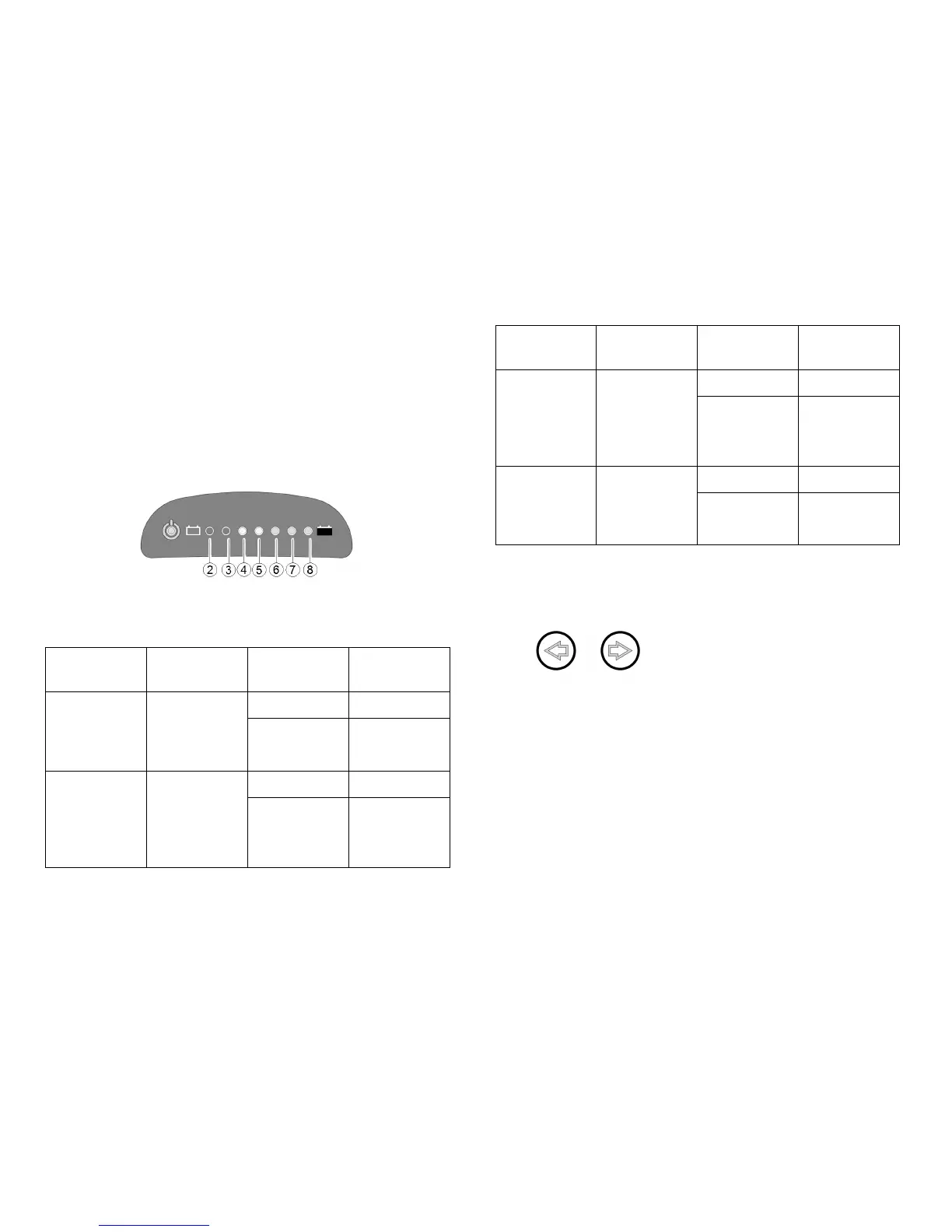
activated/deactivated,acombinationofLEDsonthebattery
chargedisplayashasconrmation.TheLEDsarenumbered
asshownbelow.
ThekeystrokecombinationsandLEDcodesforvarious
optionsareasfollows:
Function
Keystroke
combination
LED(s)
Condition
2
activated
Acoustic
signalat
lowbattery
capacity
Lighting+
direction
indicatorleft
2+3
deactivated
4
activated
Acoustic
signalwhen
direction
indicators
activated
Lighting+
direction
indicator
right
4+5
deactivated
Function
Keystroke
combination
LED(s)
Condition
6
activated
Acoustic
signalwhen
hazard
lamps
activated
Lighting
+hazard
lamps
6+7
deactivated
2+3+4
activated
Acoustic
signalwhen
reversegear
activated
Lighting
+Speed
reduction
5+6+7
deactivated
Proceedasfollowstoactivateordeactivateanacoustic
signalforaparticularfunction:
1.Switchoffthecontrols.
2.
Pressandholdbothdirectionindicatorkeys.
3.Switchonthecontrols.
4.Waittwosecondsuntiltheappropriateashcode
displaysonthebatterychargedisplay,thenreleasethe
keys.Donotholdthekeystrokecombinationdownfor
morethanveseconds.
5.IfLED7ashesvetimessubsequently,theacoustic
signalhasbeensuccessfullyactivatedordeactivated.
6.Thecontrolsreturntonormaloperatingstatus
automatically.
LCDdisplay
1638629-A
41







 To Next Page