InMode Without Vasculaze Operator Manual
Section 12: System Maintenance
Replacing the Capsule Filter
For safety, and proper System performance, replace the cooling water with fresh
distilled water only.
To remove the Capsule Filter:
Drain the water from the System following “Draining Water” procedure
Turn the System Off.
Push the Slide Latch of the Bottle Door down, and remove the Door.
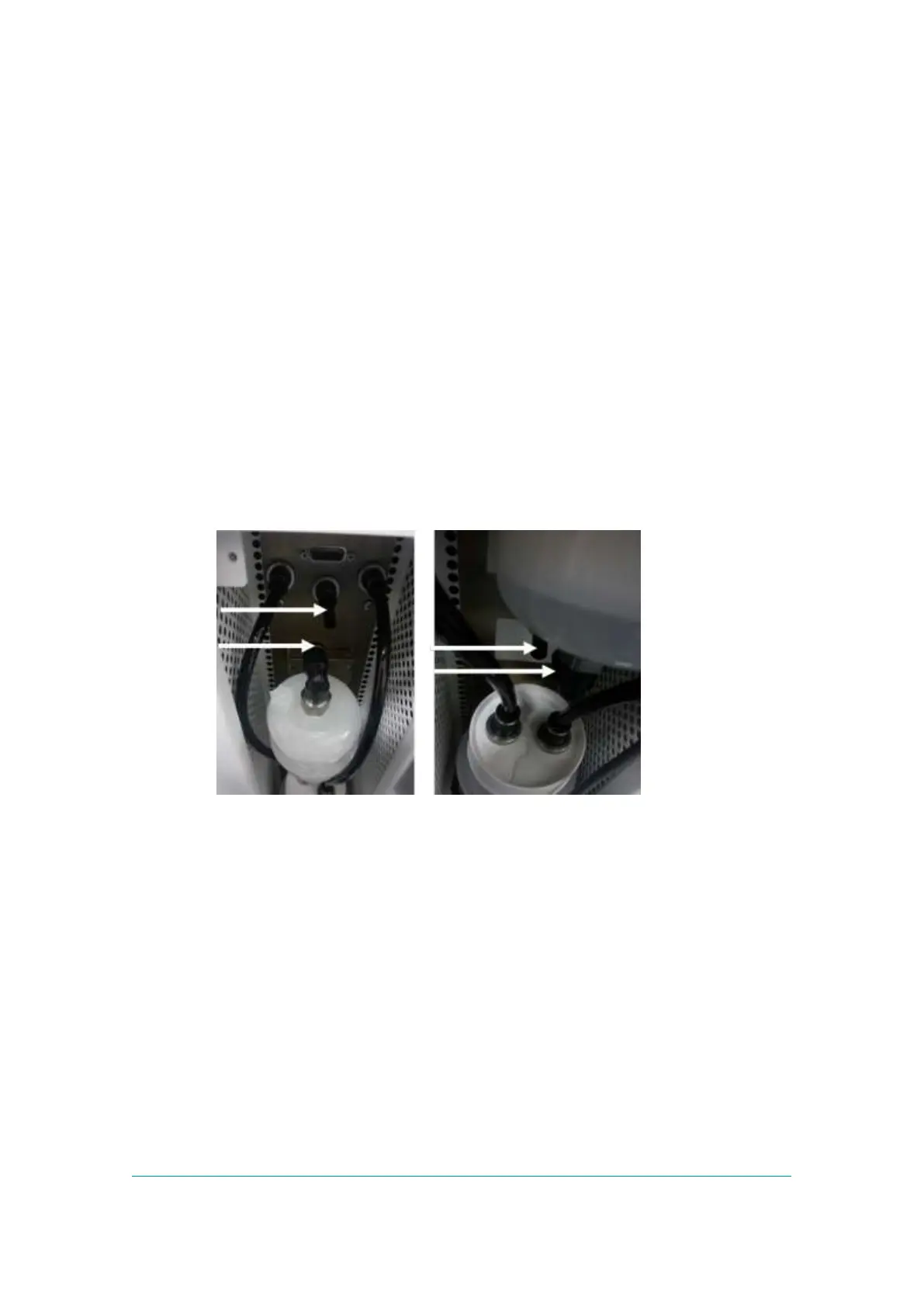
Holding the Capsule Filter with one hand, loosen the Filter by pressing the
upper Black Quick Connector and pulling the Filter out of the Water Hose
(Figure -12 left).
Holding the Capsule Filter with one hand, loosen the filter by pressing the
lower black quick Connector and pulling the filter out of the water hose
(Figure -12 right).
Figure -12: Upper (Left) and Lower (Right) Filter Quick Connectors
To install a new Capsule Filter:
Hold the Capsule Filter when the arrow on the Filter body pointing upwards.
Push the lower System Water Hose into lower Filter’s Quick Black Connector
as much as possible (Figure -12right).
Push the upper System Water Hose into upper Filter’s Quick Black Connector
as much as possible (Figure -12 left).
Remove the Water Bottle from the compartment, pour out the distilled water
from the Bottle according to the “Draining Water” procedure, and wash it with
new fresh water.
Fill 1 liter of distilled water into the Bottle and return it to its compartment.
Perform “Filling Water” procedure, as described above.



 To Next Page