41
OPERATION AND SET-UP ON THE CONTROLLER
inVENTer Connect controller platform | Operating instructions
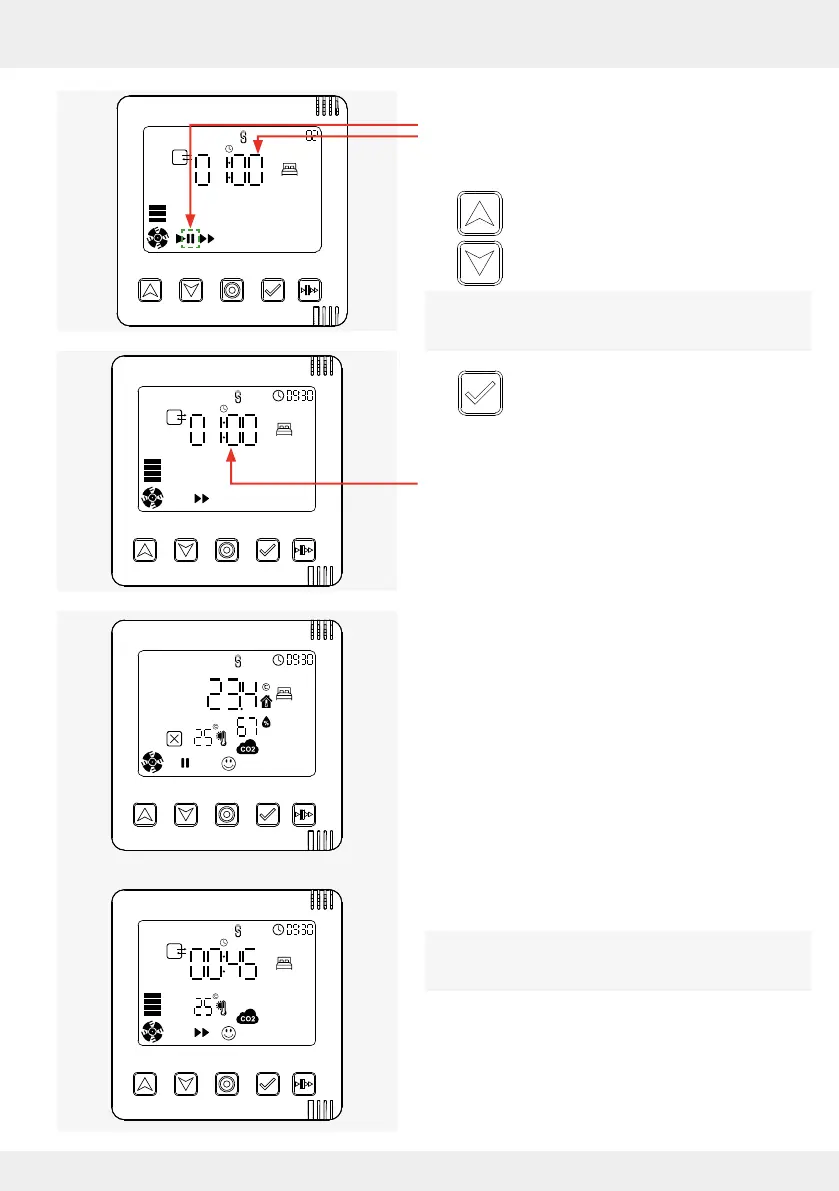
On the display screen, the pause symbol ashes
and at the same time the pause function time
setting (timer) appears.
► Press the up and down arrow keys to set
the desired time for pause mode.
When setting the pause time, you can choose
between 1, 2, 4 and 8 hours.
► Press the select key to conrm the
selected time setting.
The desired pause time is set for the selected
ventilation zone,
here e.g. 4 hours.
The display screen shows the zone
status (system information) for the ventilation zone
that is in pause function, here ventilation zone 2.
Alternating with the zone status, the remaining
pause time is displayed.
The set pause time is displayed alternately with the
zone status until it expires.
↔↔



 To Next Page