63
OPERATION AND SETUP WITH THE APP
inVENTer Connect controller platform | Operating instructions
4.9 Advanced settings
NOTICE
The advanced settings include in-depth adjustments to the system and can have a signicant
impact on the performance and operating principle.
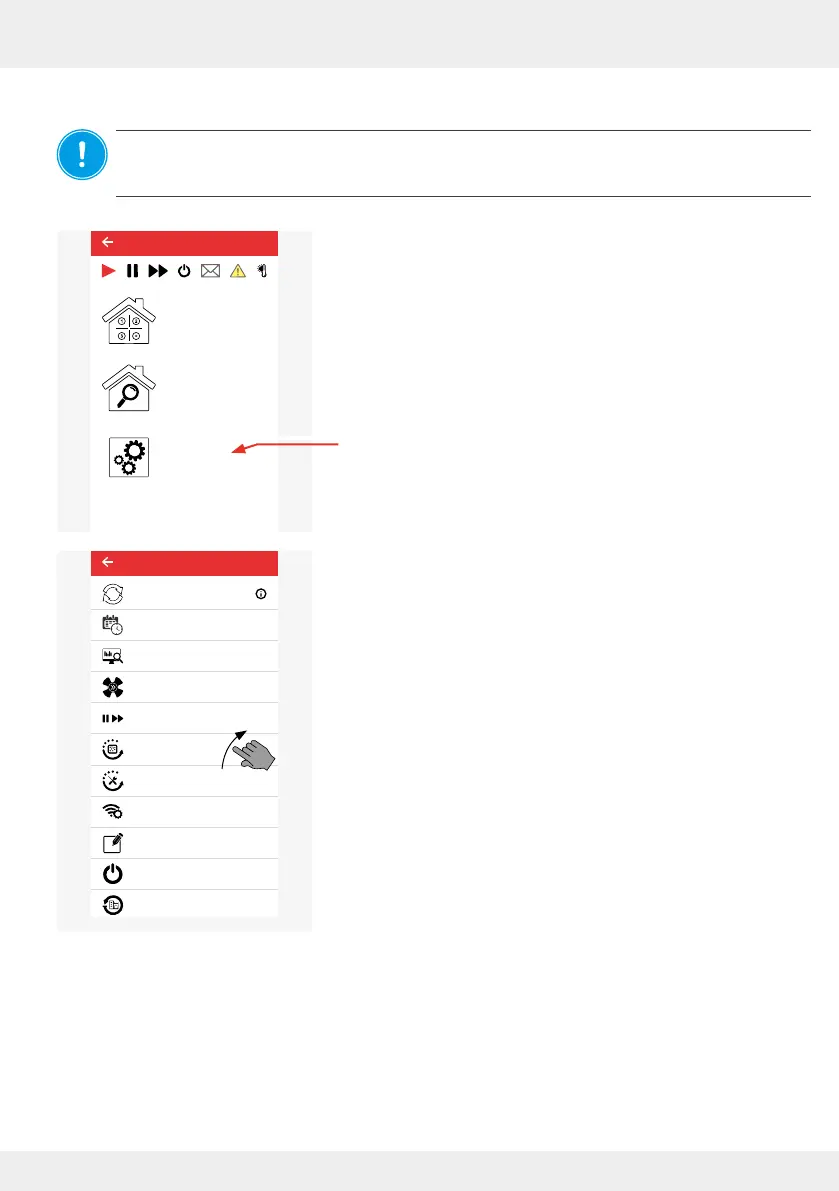
The starting point is the start menu of the app.
► Press The "Advanced settings" button.
The window on the left opens and the possible advanced
settings are displayed:
• System update p. 64
• Ventilation prole manager p. 67
• Operating hours counter p. 71
• Ventilation levels p. 71
• Boost and Pause (cross-zone) p. 72
• Filter manager p. 73
• Maintenance manager p. 75
• Radio performance (repeater) p. 77
• Changing the system name p. 78
• System reset p. 79
• Restoring factory settings p. 80
By tapping on a menu item, the corresponding menu opens and you can make advanced settings.
Advanced settings
Device overview
Ventilation zone
overview
Easy Connect e16
System update
Ventilation profile manager
Hours run meter
Ventilation levels
Boost and pause (cross-zone)
Filter manager
Maintenance manager
Radio Performance
Change system name
System reset
Restore factory settings
Advanced settings



 To Next Page