44
OPERATION AND SET-UP ON THE CONTROLLER
inVENTer Connect controller platform | Operating instructions
3.8 Acknowledging warnings / notications
If necessary, the system informs you about events, e.g. low battery levels, or errors that have
occurred, e.g. a failed system update.
The following notications and errors may occur:
Notication ( ) Error ( and LED on the controller ashes RED)
Description Code Description
At least one ventilation device/sensor is
switched o
F 01 Time and date on the controller not set or not
conrmed
Battery status of the Indoor/Outdoor sensors is
low (< 20 %)
F 02 At least one ventilation device/sensor is no
longer reachable
Rel. room humidity limit value exceeded
F 03 Firmware update failed
Limit value for CO
2
content of indoor air
exceeded
F 04 Battery status of the Indoor/Outdoor humidity/
temperature sensors is low (< 10 %)
Filter change due soon
F 05 Switching contact triggered or
switching contact is out of operation
System cleaning due soon
F 06 Filter change required
F 07 System must be cleaned
Table 5: Error codes
Notications
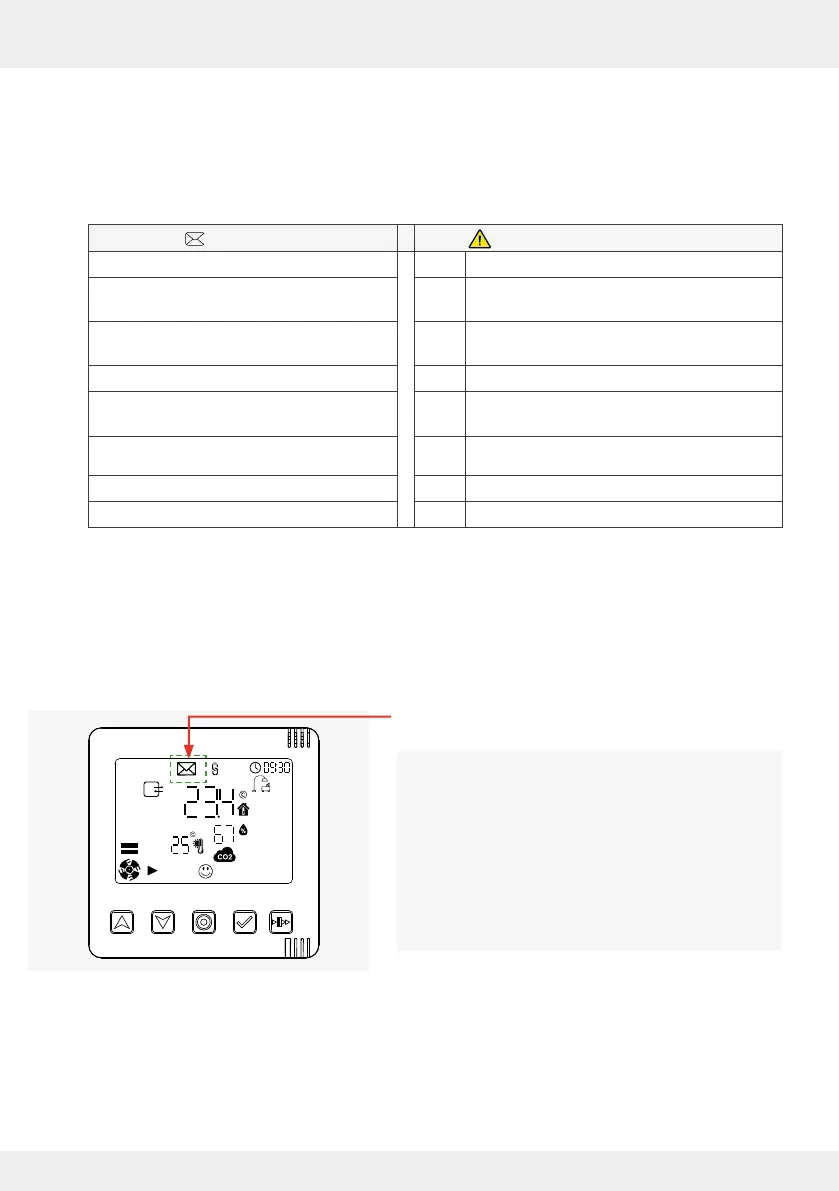
If the system reports a message, the message symbol appears on the controller's display screen.
The message symbol appears on the display
screen.
If the message symbol is enabled, you can only
read the messages using the app.
The message symbol is displayed on the home
screen until the notication reason is resolved. This
may require an action
(e.g. battery replacement) or occur automatically
(e.g. limit value exceeded).
It expires after the event has been rectied.
► If necessary, remove the reason for notication.
The message symbol goes out.



 To Next Page