The menu allows you to set a paired device as a signal amplier for other Connect devices that
are/will be integrated into the system.
The exact procedure can be found in 4.10: Setting up the component as a signal amplier
(repeater).
77
OPERATION AND SETUP WITH THE APP
inVENTer Connect controller platform | Operating instructions
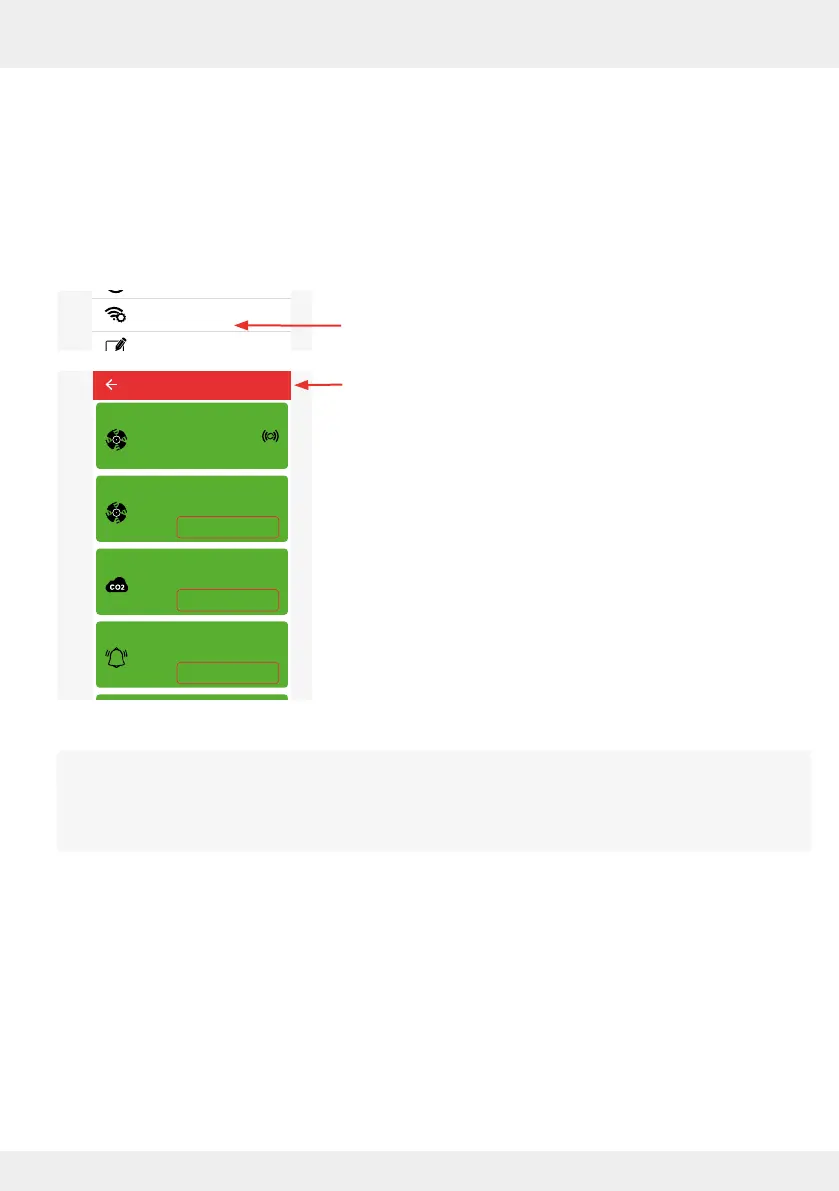
Radio performance (repeater)
Using this function, you can determine whether a system component integrated into the ventilation
system is to be used as an amplier of the radio signal in addition to the controller to improve the
radio connection between the components within the ventilation system.
Use this function if the radio signal of the controller does not reliably reach all devices integrated
in the ventilation system.
► Press the "Radio Performance" (repeater) button.
The adjacent window opens and shows the signal strength
present for each device.
System update
Ventilation profile manager
Hours run meter
Ventilation levels
Boost and pause (cross-zone)
Filter manager
Maintenance manager
Radio Performance
Change system name
System reset
Restore factory settings
Advanced settings
Use as repeater
Use as repeater
Use as repeater
Device 2
Device 3
Device 4
Fan 1
Device 5
Signal strength: -36 dB
Signal strength: -40 dB
Signal strength: -16 dB
Signal strength: -30 dB
Signal strength: -36 dB
Radio Performance



 To Next Page