92
CLEANING AND CARE
inVENTer Connect controller platform | Operating instructions
• FTS 19 Outdoor humidity / temperature sensor
Phillips screwdriver
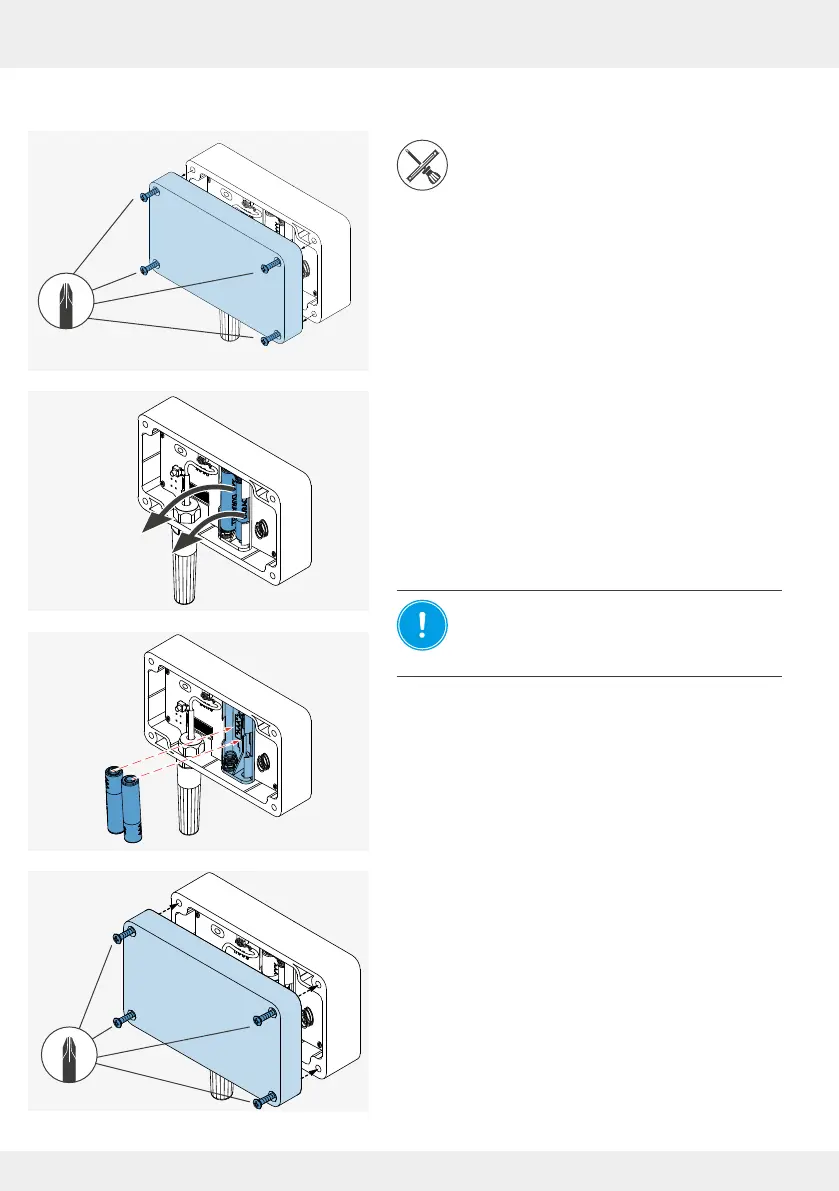
► Loosen the 4 screws that x the cover to the hous-
ing.
► Remove the cover.
The cover and housing are separate.
► Remove the used batteries from the housing's bat-
tery compartment and dispose of them properly.
NOTICE: Incorrect polarity of the
batteries.
Insert the batteries according to the polarity
marked in the housing.
► Insert the new batteries into the battery compart-
ment in the housing.
Once the batteries are inserted, the housing can be
screwed to the cover again.
► Slide the cover onto the housing.
► Screw the 4 screws back in to x the cover to the
housing.
The batteries have been replaced and the Outdoor
humidity/temperature sensor has been reinstalled.
AAA
+
+
-
-



 To Next Page