4
Ioline
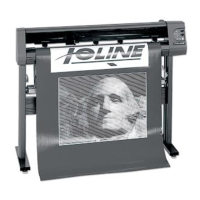
THE 100 SYSTEM CUTTER
Thank you for purchasing an Ioline cutter. To make designs, you also need a
computer with design software. After you have used the design software to
create a design, you will send it as a cut file to the Ioline cutter. The cutter will
receive the file and cut the design. Check the following items before you
begin making designs:
• The design software, which helps you design, must be loaded into the
computer according to the installation instructions. If you have any ques-
tions about the computer or the software, you will need to call the dealer.
• The computer sends a cut file to the cutter to create the designs. The
computer must be assembled and installed correctly before you connect
it, by cable, to the cutter.
• The cutter will cut the design exactly as you have designed it. The design
will be cut from the material that you have loaded into the cutter.
• There is a specialized software program that comes with the cutter called
the Ioline Control Center. You can load this software utility into a PC
compatible computer and use it to adjust cutter settings and perform
system diagnostics. Most design software provides drivers for Ioline cut-
ters. Contact the maker of your design software if you need assistance
with drivers.
SAFETY AND PRECAUTIONS
Please read these safety guidelines before beginning operation of the cutter.
The cutter uses a very sharp blade when cutting. The parts can move quickly.
Always observe the following safety precautions:
• Do not allow the material to become suddenly taut between the cutter
and a roll of material during cutting. A service loop of unrolled material
is required for problem free operation. Using the Autoloop function (en-
abled in the Control Center) will create the required service loop by
gently pulling a set amount of material from the roll before cutting.
Ioline recommends using the Autoloop function when cutting on a roll
of material.
• Do not try to repair the machine without factory authorization. Only
qualified service personnel should attempt any disassembly or access to
internal components. If external mechanical adjustments are necessary,
turn off the cutter and disconnect it from all power sources (both the
computer and the wall outlet).
• Be careful with hair, jewelry, or loose clothing near the cutter. They can
become caught in the mechanical parts.
• Never move the carriage by hand. Use the Arrow keys and let the ma-
chine do it.
• Keep hands away from the carriage when the cutter is in operation. The
carriage will automatically move to its right end position when the power
is turned on.
• Be careful when lifting the cutter. Hold the bottom surfaces of the cutter
to lift or move it.
• Keep fingers away from the drive shaft when the cutter is in operation.
• Use caution when changing a blade in the blade holder. See the Routine
Maintenance chapter of this User Guide for the recommended proce-
dure.
• Be careful when handling the blades. They are sharp and could cause an
injury if mishandled. Although the blades are made of an extremely hard
material, they are brittle and can break if dropped or mishandled.



 To Next Page