Inserting MicroSD Card (not included)
AIR PRO supports a MicroSD card up to 32GB (Class 4 or greater cards are
recommended) which allows you to take Full High Definition (FHD) Video for
approximately 4 hours (1080p 30 fps or 720p 60 fps). If there is no MicroSD card in
the camera, the Red and Green LED will flash alternatively and continuously.
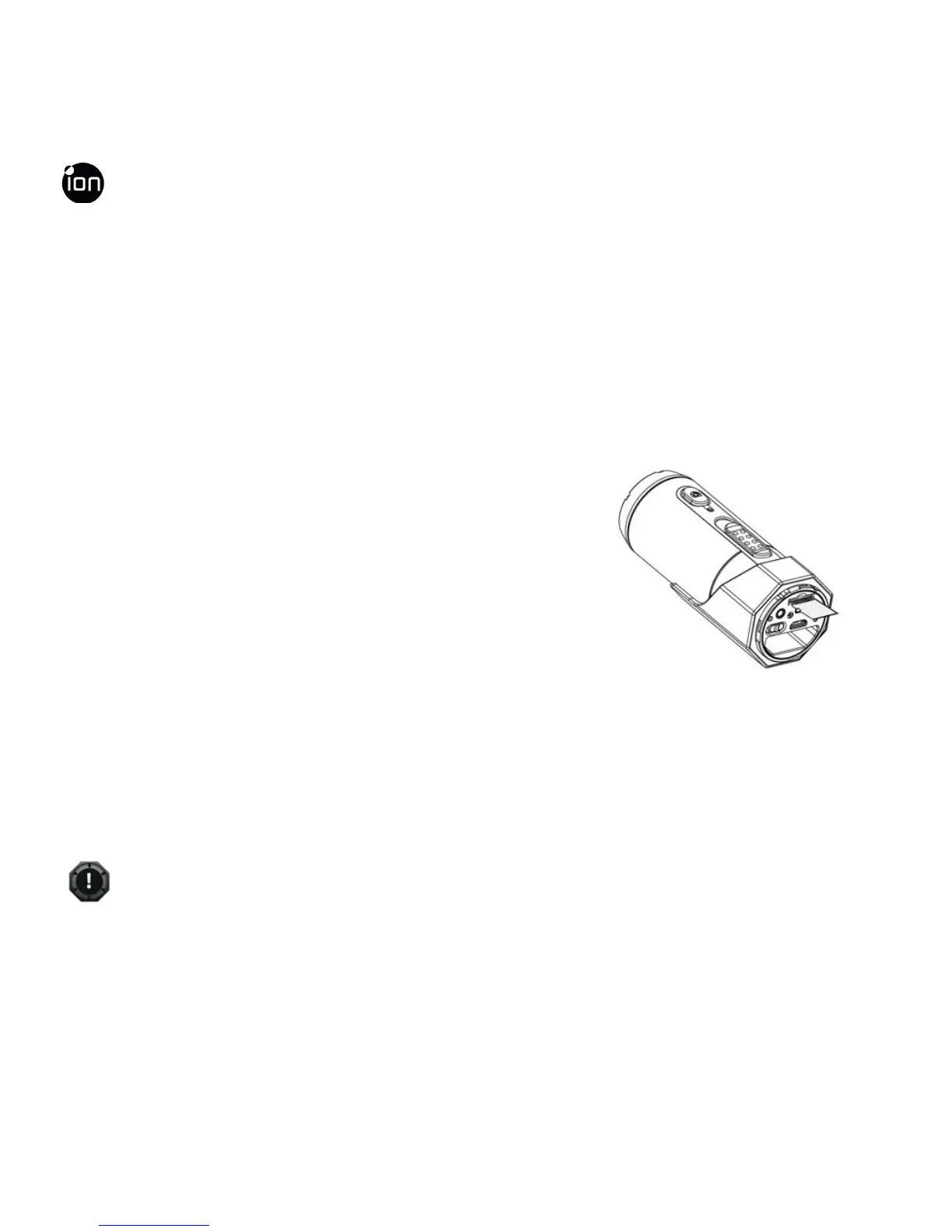
To insert a MicroSD card
Insert a MicroSD card (not included) before using
your camera. Assure that the camera power is
turned OFF before inserting the card to the slot.
The MicroSD card will click into the slot once it is
fully inserted.
✓
There is only one correct direction as shown in the illustration to insert the
MicroSD card into the slot. Do not force the card into the card slot or it may
EN - 22 www.iontheaction.co.uk



 To Next Page