Auto Rotation
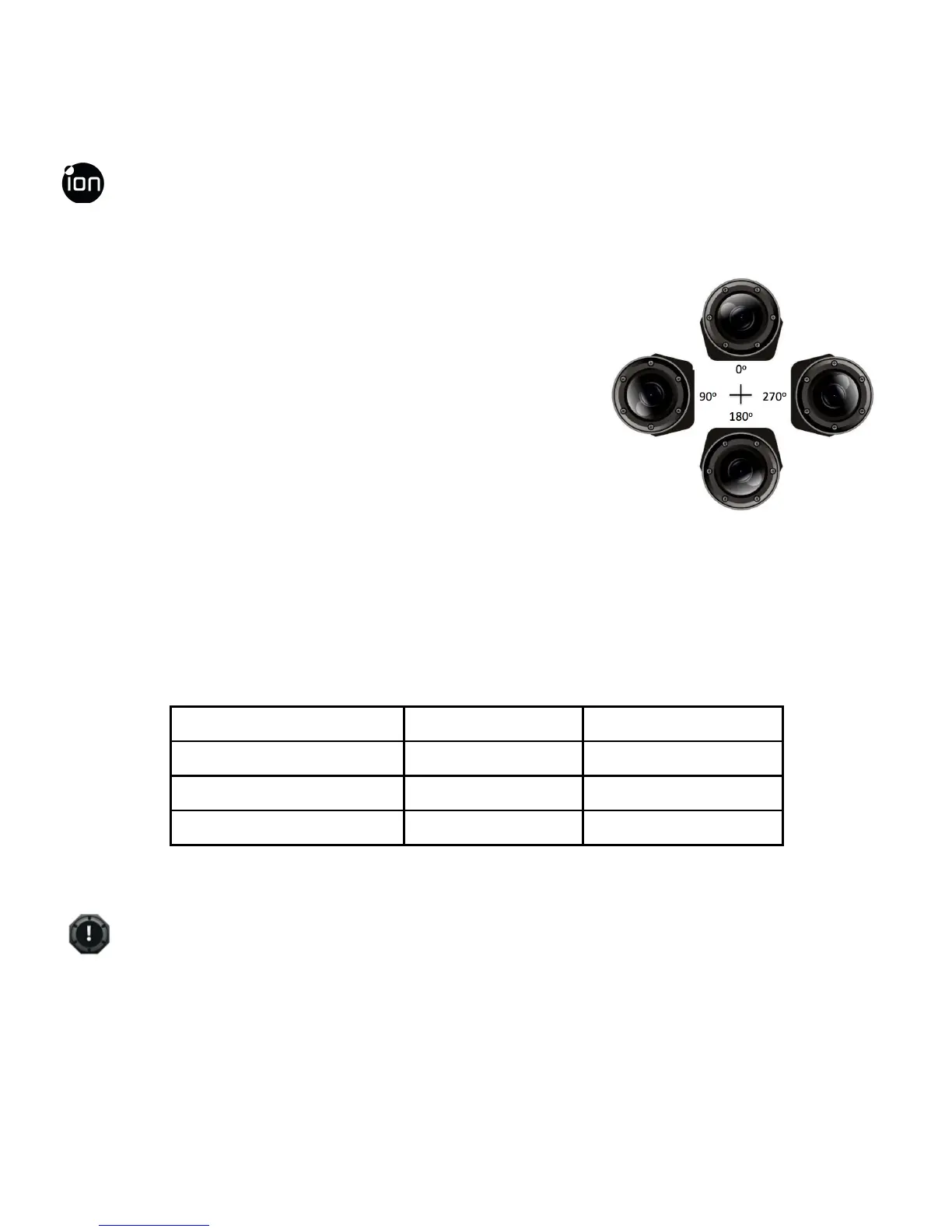
The camera has a built-in G-sensor which is able
to detect the camera orientation. By rotating your
camera to 90
o
, 180
o
or 270
o
from the default
position (refer to the picture), the recorded view
will be rotated in the same angle. This allows the
user to mount the camera in different orientation
without recording a rotated or inverted view. The video resolution will be adjusted
for 90
o
and 270
o
.
Video Resolution 0
o
or 180
o
90
o
or 270
o
1080P 1920x1080 608x1088
960P 1280x960 720x960
720P 1280x720 416x720
EN - 34 www.iontheaction.co.uk



 To Next Page