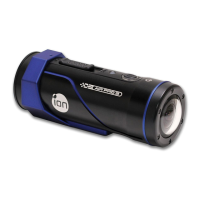
Reset the Camera
Press the Reset button with a thin and blunt object to reset the camera.
Using PODZ
PODZ
is a series of accessories that work with your camera and provide additional
functions and enhance your excitement. Insert the PODZ into the PODZ
socket of
the camera and you can use it immediately.
PODZ
– Basic back cover to seal your camera
WiFi PODZ – Provide the wireless capability to your camera
Remote PODZ
– Control your camera via the remote
Battery PODZ – Extended battery time of your camera.
Using CamLOCK Mount System
ion’s versatile CamLOCK Mount System allows you to attach the AIR PRO camera
to any type of helmet (bike, motorcycle, ski, skydive etc.), pole, board (surf, skate,
ski etc.) and handlebar (bike and motorcycle).
EN - 32 www.iontheaction.co.uk



 To Next Page