CONNECTING CAMERA TO A COMPUTER
Running the ion Software
1.
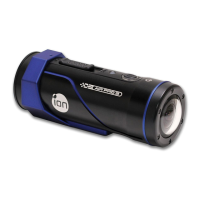
Insert a MicroSD card with at least 2MB free space into your camera.
2.
Connect your camera to a PC via the USB cable included.
3.
Press the Power button to turn the camera
4.
Open the MicroSD card folder inside file manager and you will find the file
“ion.exe”. Click the file to open
5. If you cannot find ion.exe at your MicroSD folder, you can unplug the cable
from PC and turn the camera on and off once and connect the PC again.
✓
If you are a Mac user, visit the ion website (www.iontheaction.com) to
download the software in Mac version.
Browsing the Files & Transferring Them To A PC
1.
Click the “Browse Files” icon and the file folder will pop up and the saved
EN - 36 www.iontheaction.co.uk



 To Next Page