TIGER XT Instrument User Manual V1.2
Pioneering Gas Sensing Technology. Page 35 of 71 ionscience.com
Calibration
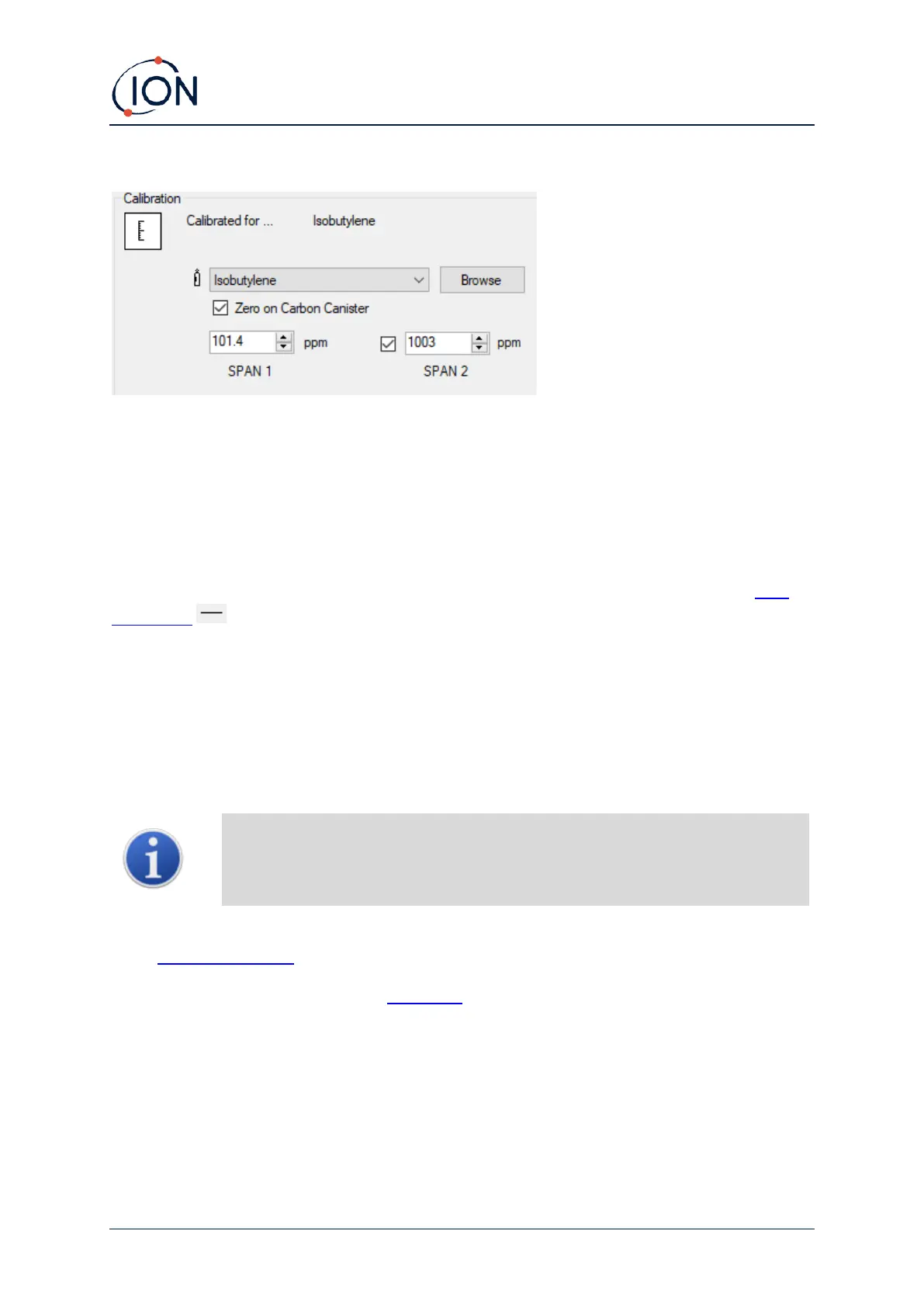
Select the calibration gas using the drop-down list.
If no gases are shown in the drop-down list, click Browse and go to the location where the TigerPC
software files are saved:
<Installation folder>/IonScience/Tiger/software/instruments/<instrument number>/gas table
Find the appropriate gas table and open it.
If required, tick Zero on Carbon Canister to ensure a near Zero reading after calibration. The fixed
Zero option should also be selected.
TigerPC offers two-point (Zero + SPAN 1) and three-point (Zero + SPAN 1 + SPAN 2) calibration
options:
• For two-point calibration, enter the SPAN 1 concentration and ensure that the SPAN 2
checkbox is unticked.
• For three-point calibration, tick the checkbox and enter the SPAN 1 and SPAN 2
concentrations.
In applications where the detected gas levels are expected to be below 100 ppm
then only a two point calibration (i.e. Zero and 100 ppm) is necessary. However, in
applications that require measurement above 100 ppm a three point calibration
(i.e. Zero, 100 ppm and 1,000 ppm) should be carried out.
Select Send to instrument to save these settings to your TIGER XT.
The calibration procedure is detailed in Calibration.



 To Next Page