TIGER XT Instrument User Manual V1.2
Pioneering Gas Sensing Technology. Page 55 of 71 ionscience.com
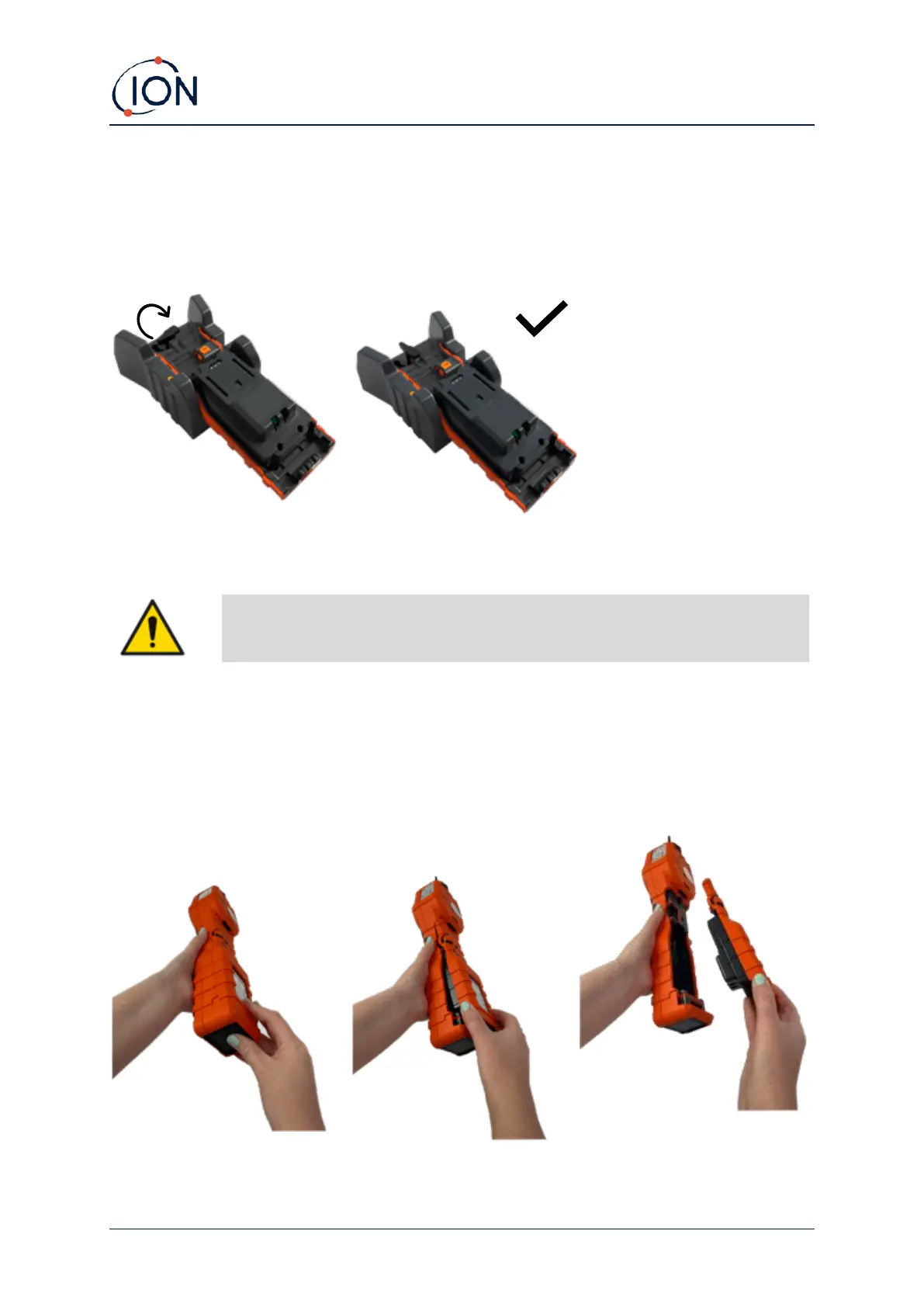
ion battery pack are aligned with those in the cradle. To hold the lithium-ion battery in place, use the
battery lid catch (part number 912255) and connect to the top of the charge cradle.
Turn the battery lid catch and secure lithium-ion battery to charge cradle.
Taking off the Rechargeable Battery Packs
1. Ensure TIGER XT is switched Off.
2. Press the release button at the rear of the instrument and lift the Rechargeable Battery Pack
away from the Instrument Body.
3. Take your new rechargeable battery pack and push it back into the instrument body.
4. Charge the TIGER for 7 hours before use.



 To Next Page