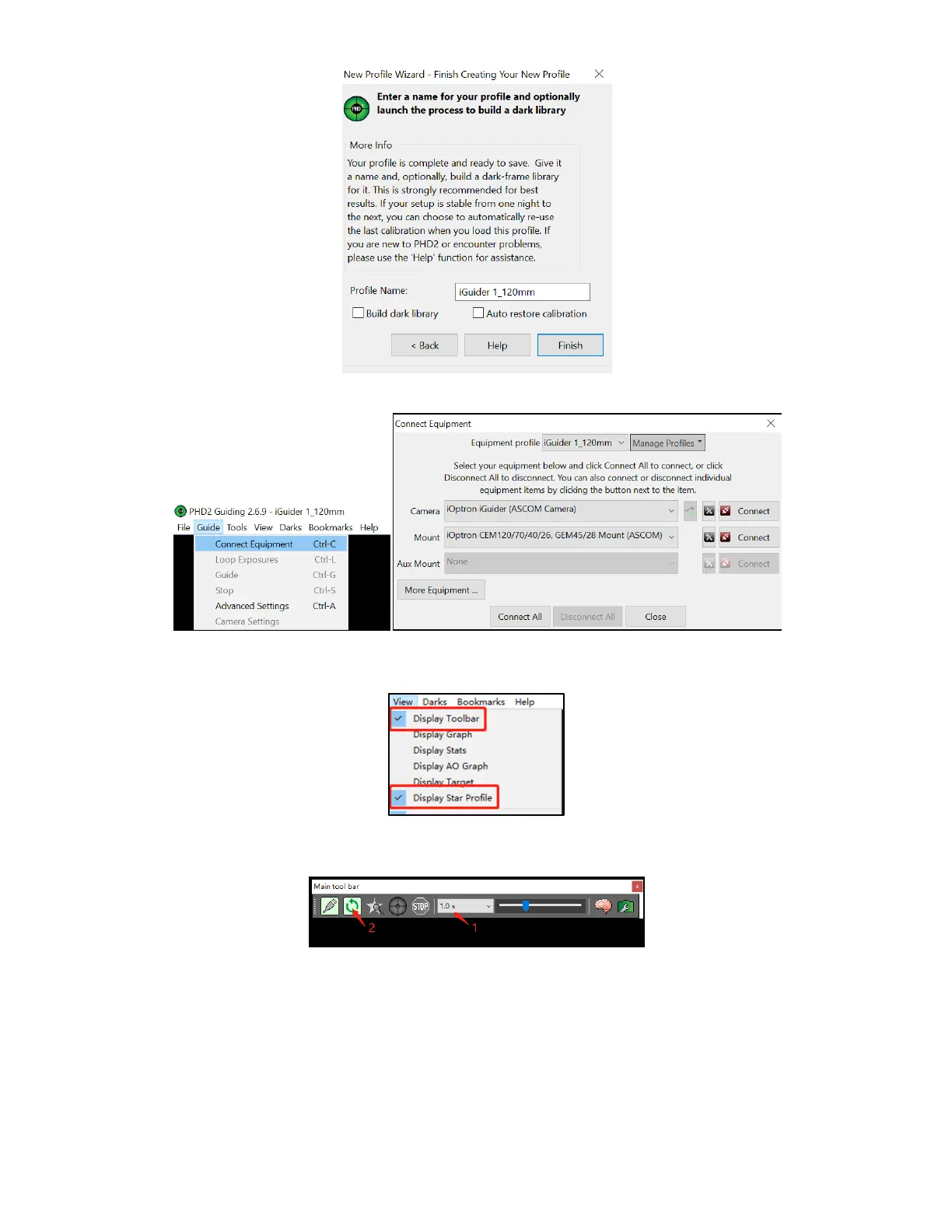
Click on Guide/Connect Equipment and connect all the devices.
To view the image via iGuider, check “Display Toolbar” and “Display Star Profile” in
View menu.
Select proper “Exposure Time” in Main tool bar and click on “Continues Exposure”,
you should see star images in the main window. Make sure you remove the lens cover.
You may also check the iGuider camera during daytime by checking Show Preview in
iOptron iGuider ASCOM window. Adjust Exposure Time and focuser to show the image.



 To Next Page