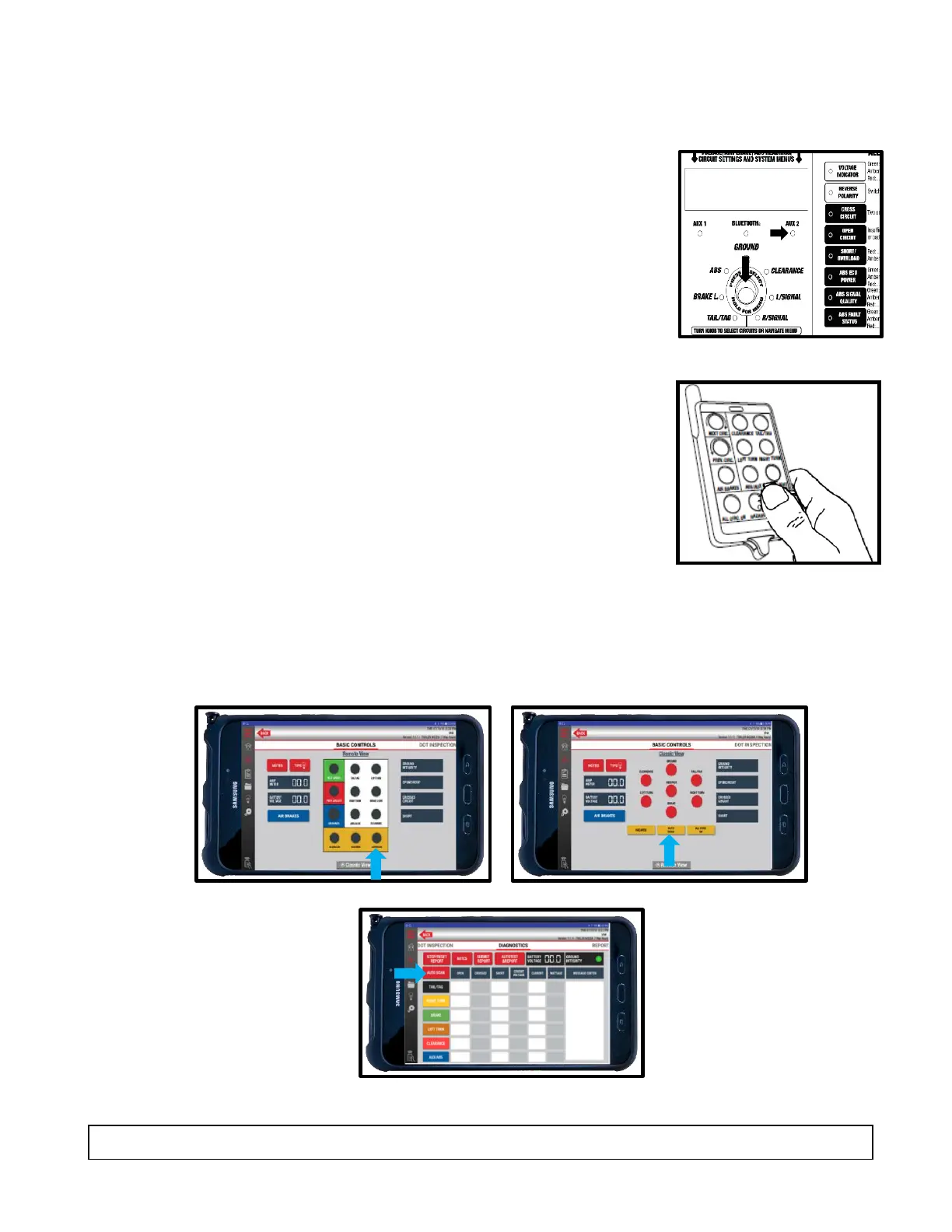
Auto-Cycle Mode
Auto Cycle mode automatically tests one circuit at a time in a clockwise rotation.
Manually
1. Press and release the Circuit Control knob. The AUX 2
indicator should illuminate.
2. A five-second delay commences between circuit sections.
3. Circuits are automatically tested one at a time in a
clockwise rotation.
4. To cancel Auto Cycle mode, momentarily press or rotate
the control knob.
12-Button Remote Control
1. Press and release the Autocycle button on the 12-button
remote. The AUX 2 indicator should illuminate.
2. A five-second delay commences between circuit sections.
3. Circuits are automatically tested one at a time in a
clockwise rotation.
4. To cancel Auto Cycle mode, momentarily press or rotate
the control knob.
TABLET
1. Use either the Classic View or Remote View for basic controls on the tablet or use Diagnostic
View for advanced controls. Press the Autocycle button to begin.
NOTE: Auto Cycle mode does not work when ABS or Brake Light Circuits are selected.



 To Next Page