8.2 Selecting a Circuit
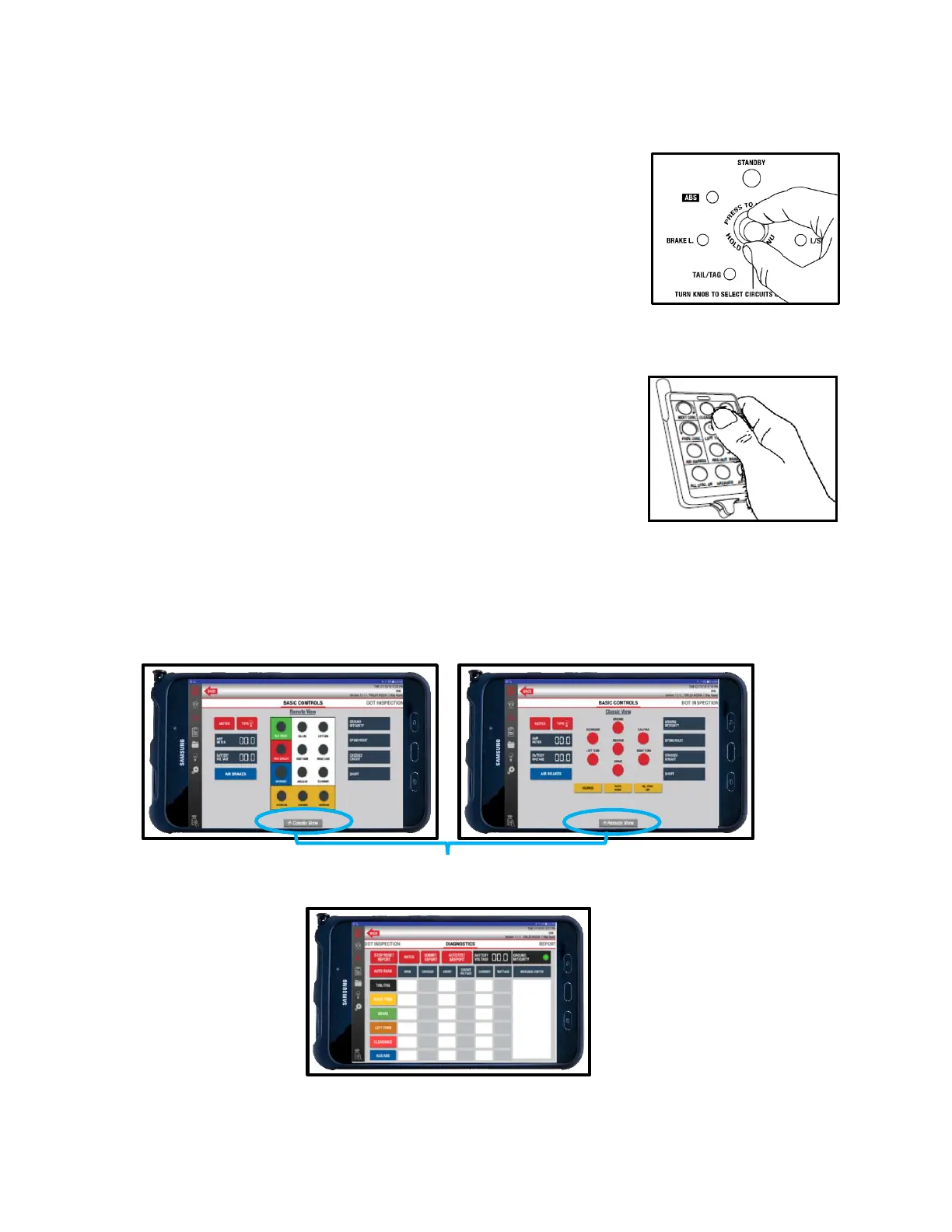
Circuits can be selected for testing manually, with the remote control and tablet, or by initiating Auto Cycle mode.
Manually
1. Turn the Circuit Control knob to select a circuit. The control
knob is automatically set to Ground Integrity when power is
turned on.
12-Button Remote Control
1. Press and release the desired circuit’s button.
2. Press the Next or Previous Circuit buttons to cycle through circuits.
Tablet
1. Use either the Classic View or Remote View for basic controls on the tablet or use Diagnostic
View for advanced controls. Press a circuit button to select.
Swipe Screen for Diagnostics View



 To Next Page