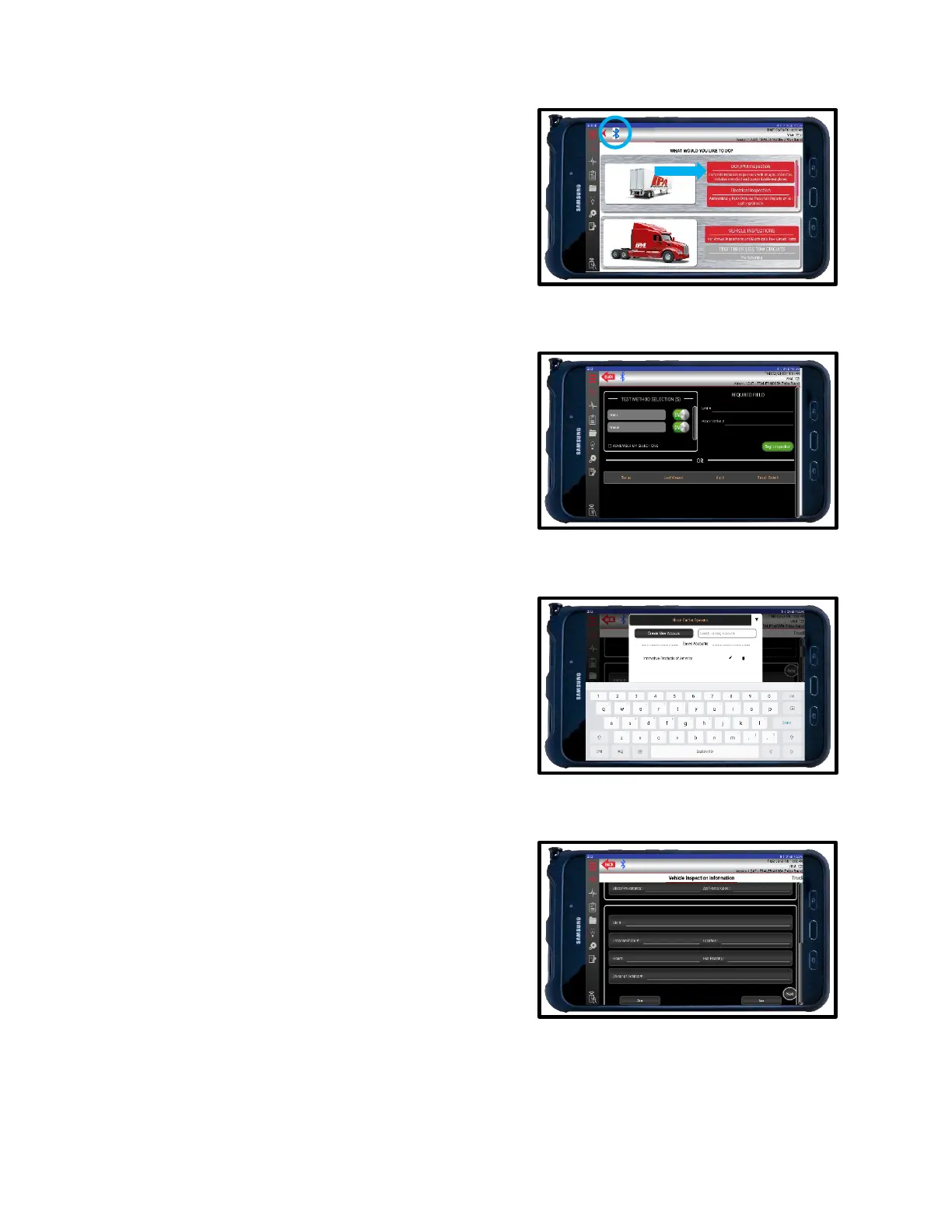
11.2 DOT/PM Inspections
1. To begin, select DOT/PM INSPECTIONS from the
main menu. Make sure there is Bluetooth
®
connectivity between the tablet and the Alpha
MUTT
®
.
2. Turn the desired Test Methods on or off with each
toggle switch. Custom Inspections that are created in
the Inspection Create tab will be visible only if they
are set as DEFAULT in the Inspection Creator section
of the app. See Section 11.4 Inspection Creation
Tab for more details.
3. Enter UNIT # and REPAIR ORDER #. Inspection
cannot begin without this information.
4. Once entered, press BEGIN INSPECTION.
5. Chose VEHICLE TYPE above Vehicle History Record.
6. Create a NEW ACCOUNT by entering all information
or select a SAVED ACCOUNT. You can use the
search tool to find existing accounts.
7. Enter VIN #, LOCATION PLATE #, LOCATION,
HOURS, HUB READING, and OWNER OF
VEHICLE as desired.
8. SAVE or CLEAR as needed.
9. To proceed with Inspection, press NEXT or slide left.
.



 To Next Page